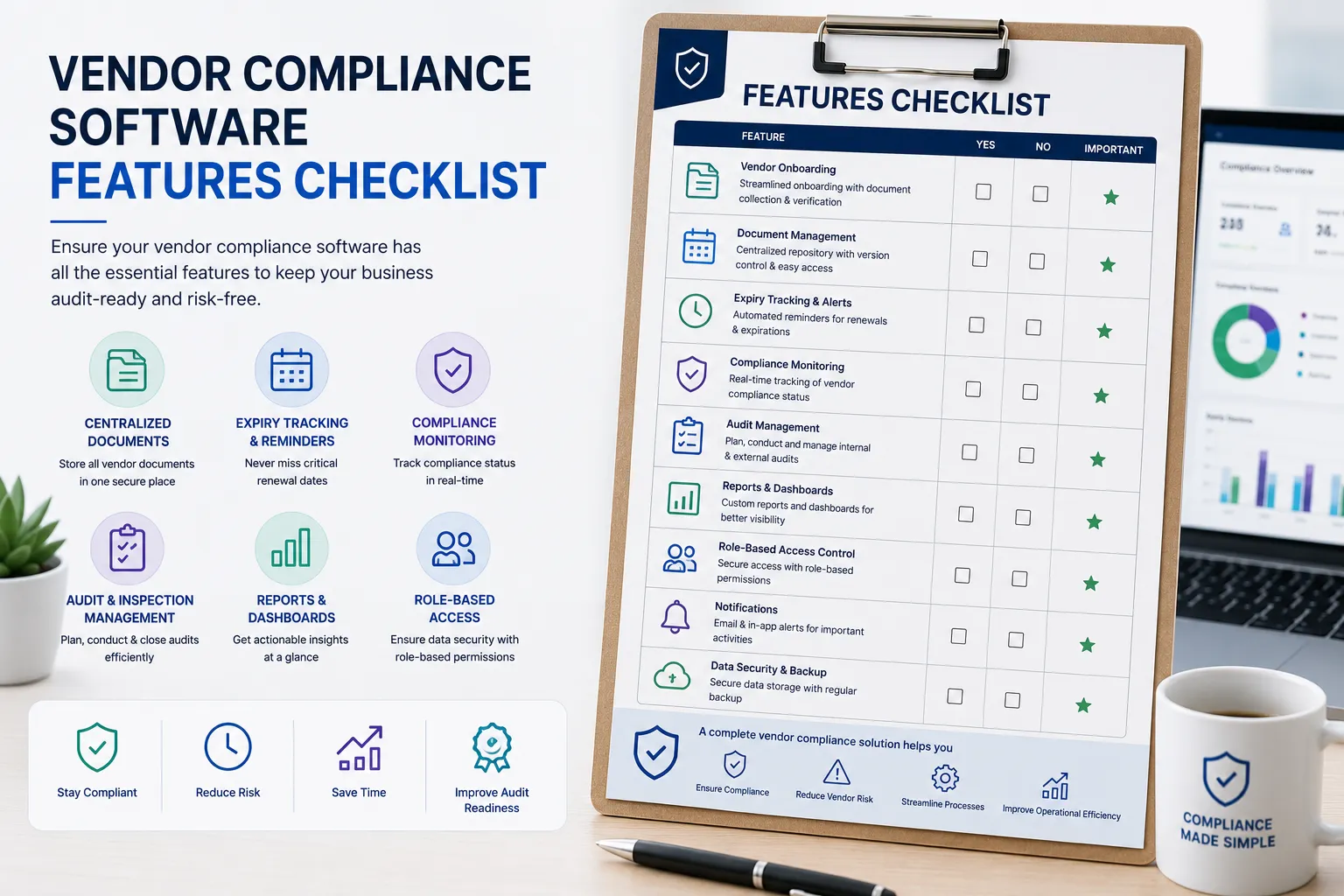
Vendor Compliance Software Features Checklist
Choosing the right Vendor Compliance Software is about more than comparing prices. The platform should simplify vendor onboarding, automate compliance tracking, and help your organization remain audit-ready.
This checklist will help procurement, compliance, quality, and operations teams evaluate software before making a purchase.
Why Use a Features Checklist?
Many software solutions offer document storage, but not all provide complete compliance management.
A structured checklist helps you compare products based on functionality instead of marketing claims.
Core Features Checklist
| Feature | Recommended |
|---|---|
| Vendor Document Repository | ✅ |
| Vendor Self-Service Portal | ✅ |
| Document Upload & Version Control | ✅ |
| AI-powered Document Verification | ✅ |
| OCR-based Document Reading | ✅ |
| Automated Expiry Reminders | ✅ |
| Compliance Dashboard | ✅ |
| Vendor Approval Workflow | ✅ |
| Audit Trail | ✅ |
| Vendor Audit Management | ✅ |
| Compliance Reports | ✅ |
| Export to Excel/PDF | ✅ |
| Email Notifications | ✅ |
| Unlimited Internal Users | ✅ |
| Role-Based Access Control | ✅ |
Vendor Onboarding Features
Your software should support:
- Digital vendor registration
- Document collection
- Vendor approval workflow
- Custom document requirements
- Vendor profile management
- Self-service document uploads
Compliance Management Features
Look for:
- Compliance status tracking
- Missing document alerts
- Expiry monitoring
- Renewal reminders
- Compliance scorecards
- Risk indicators
- Corrective action tracking
Reporting & Dashboard Features
Essential reports include:
- Vendor compliance summary
- Expiring documents
- Pending approvals
- Vendor audit status
- Department-wise compliance
- Downloadable Excel reports
Security & Administration
A reliable solution should provide:
- Role-based permissions
- Secure cloud hosting
- Audit logs
- Data backup
- Multi-user access
- Activity history
Questions to Ask Before Buying
- Can vendors upload documents themselves?
- Are expiry reminders automatic?
- Does it support AI document verification?
- Is audit reporting included?
- Can the software grow with our business?
- Is onboarding assistance provided?
Why VendorCompliancePro?
VendorCompliancePro includes:
- Vendor Document Management
- Vendor Self-Service Portal
- AI-powered Document Verification
- OCR Document Reading
- Automated Expiry Reminders
- Vendor Approval Workflow
- Compliance Dashboards
- Vendor Audit Tracking
- Export to Excel
- Unlimited Internal Users
- Free Onboarding & Training
Designed specifically for manufacturing, logistics, warehouse, engineering, and food processing businesses.
Common Buying Mistakes
- Choosing software based only on price
- Ignoring automation capabilities
- No vendor self-service portal
- Limited reporting
- No audit trail
- Poor scalability
Frequently Asked Questions
Which feature is the most important?
Automated document expiry tracking and centralized document management are foundational features. Many organizations also benefit from dashboards, approval workflows, and audit reporting.
Is AI necessary?
AI-powered document verification can reduce manual review effort by helping validate uploaded documents, especially when managing large numbers of vendors.
Can small businesses use vendor compliance software?
Yes. Small and medium-sized businesses can benefit from automation as they grow and their compliance requirements become more complex.
Related Articles
- Vendor Compliance Software Pricing
- Vendor Compliance Software Comparison
- Vendor Compliance Implementation Guide
- Vendor Audit Checklist PDF
- Vendor Self-Service Portal
Conclusion
Selecting the right Vendor Compliance Software requires evaluating features that improve efficiency, strengthen compliance, and support future growth. Use this checklist to compare solutions and choose a platform that keeps your organization audit-ready.