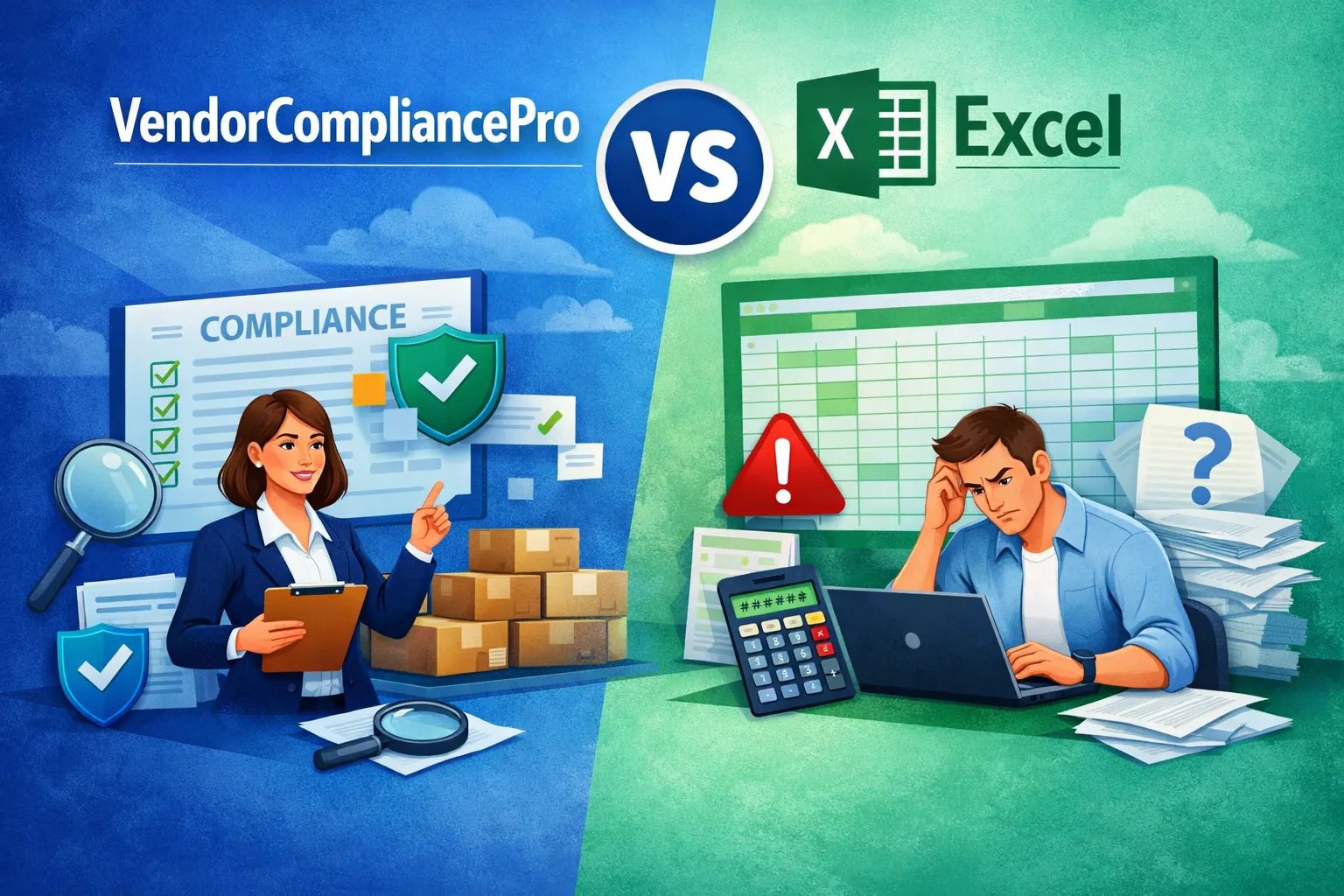
VendorCompliancePro vs Excel: Which Is Better for Managing Vendor Compliance?
Microsoft Excel is still one of the most common tools businesses use to track vendor compliance.
A procurement or operations team may maintain a spreadsheet containing vendor names, document status, expiry dates, approval information, and follow-up notes. Documents may then be stored separately in email attachments, shared folders, or local directories.
This approach can work when the vendor list is small.
But as the number of vendors and compliance requirements grows, the real problem is no longer maintaining a spreadsheet. It is keeping the entire vendor compliance process accurate, current, and easy to manage.
VendorCompliancePro is built specifically for this problem. It helps businesses collect vendor documents, use AI-assisted OCR validation, track expiry dates, remind vendors about missing or expiring documents, validate GST information, manage approvals, and prepare for audits.
This guide compares Excel and VendorCompliancePro so you can decide when a spreadsheet is enough and when dedicated vendor compliance software makes more sense.
Important: Excel is a flexible general-purpose tool, and its capabilities depend heavily on how a company builds and maintains its spreadsheets and surrounding processes. The comparison below focuses on the effort required to create and maintain a vendor compliance workflow, not on whether Excel is technically capable of performing a particular task.
Excel vs VendorCompliancePro at a Glance
| Area | Excel-based process | VendorCompliancePro |
|---|---|---|
| Vendor master list | Yes | Yes |
| Vendor document collection | Manual | Centralized workflow |
| Vendor self-service upload | Requires a separate process | Yes |
| Compliance document repository | Usually separate folders/cloud storage | Centralized |
| Document expiry tracking | Manual formulas/process | Automated tracking |
| Vendor reminders | Manual or separately configured | Automated reminders |
| Approval workflow | Requires custom spreadsheet/process | Built-in workflow |
| Compliance dashboard | Can be built manually | Built-in |
| Audit reporting | Manual preparation | Built-in reporting |
| AI-assisted document validation | No built-in workflow | Yes |
| OCR-based document processing | No built-in workflow | Yes |
| Live GST validation | Requires another tool/process | Yes |
| Audit trail | Requires careful spreadsheet/process design | Built into the application workflow |
| Role-based access | Depends on Microsoft environment and workbook setup | Yes |
| Best fit | Small/simple tracking requirements | Businesses needing a dedicated compliance workflow |
The important difference is not simply spreadsheet vs software.
It is:
Manual tracking vs an end-to-end vendor compliance workflow.
Why Companies Still Use Excel for Vendor Compliance
Excel has several genuine advantages.
It is:
- Familiar
- Flexible
- Widely available
- Easy to customize
- Useful for small datasets
- Good for quick reporting
Organizations commonly use Excel to:
- Maintain vendor master lists
- Record document status
- Track expiry dates
- Record approval status
- Store vendor contact information
- Prepare basic reports
For a small business with a handful of vendors and limited compliance requirements, Excel can be a perfectly reasonable starting point.
The problem begins when the spreadsheet becomes the center of a process that involves documents, people, reminders, approvals, validation, and audits.
Where Excel Starts Becoming Difficult
Excel itself is not the problem.
The challenge is that vendor compliance is more than a table of data.
A typical process may require someone to:
- Create or update the vendor record
- Request required documents
- Receive documents by email or another channel
- Save the files
- Check whether the document is correct
- Check important information and expiry dates
- Update the spreadsheet
- Follow up with the vendor when something is missing
- Route the vendor for approval
- Repeat the process when documents expire
- Prepare evidence for an audit
The spreadsheet can record the result, but many of the activities around the spreadsheet remain manual.
Common challenges include:
- Repetitive data entry
- Documents stored separately from the tracker
- Manual vendor follow-ups
- Missed expiry dates
- Limited workflow automation
- Difficult approval tracking
- Manual audit preparation
- Multiple versions of files or trackers
- Dependence on individual employees
- Difficulty maintaining a consistent process across teams
As the vendor base grows, these small manual tasks can consume significant procurement time.
What Is VendorCompliancePro?
VendorCompliancePro is cloud-based vendor compliance software designed specifically for businesses that need to collect, verify, monitor, and report on vendor and contractor compliance.
Instead of using a spreadsheet as the center of the process, the platform brings the workflow together.
Key capabilities include:
- Vendor onboarding
- Vendor self-service document upload
- Centralized compliance document management
- AI-assisted document validation
- OCR-based document processing
- Document expiry tracking
- Automated vendor reminders
- Approval workflows
- Compliance dashboards
- Audit reports
- Role-based access
- Audit trail
- Live GST validation
The objective is simple:
Reduce repetitive manual compliance work and make vendor status easier to understand.
VendorCompliancePro vs Excel: Feature Comparison
| Feature | Excel-based process | VendorCompliancePro |
|---|---|---|
| Vendor database | Yes | Yes |
| Centralized compliance workflow | Manual setup | Yes |
| Vendor self-service portal | Requires separate solution/process | Yes |
| Document upload workflow | Separate/manual process | Yes |
| Document repository | Usually separate storage | Yes |
| Approval workflow | Manual/custom | Yes |
| Automated vendor reminders | Manual/custom | Yes |
| Expiry tracking | Manual formulas/process | Automated |
| Compliance dashboard | Can be built manually | Yes |
| Audit reports | Manual preparation | Yes |
| Role-based access | Depends on setup | Yes |
| Audit trail | Requires additional process/design | Yes |
| AI-assisted document validation | Not built into Excel | Yes |
| OCR document processing | Requires additional tools | Yes |
| Live GST validation | Requires another service/process | Yes |
| Multi-user compliance workflow | Possible with Microsoft tools, but requires setup | Built for the workflow |
1. Vendor Onboarding
Vendor onboarding is where the difference between a spreadsheet and a dedicated workflow becomes obvious.
Excel
A typical Excel-based onboarding process might look like:
Email → Vendor sends documents → Employee saves files → Employee checks documents → Excel updated → Follow-up email → Approval
The spreadsheet records what happened, but employees still have to coordinate the process.
This can become difficult when multiple vendors are being onboarded simultaneously.
VendorCompliancePro
VendorCompliancePro provides a dedicated vendor onboarding workflow.
Vendors can upload required documents through the platform, while the business can track:
- Submitted documents
- Missing documents
- Validation status
- Approval status
- Expiring documents
AI-assisted validation can also reduce repetitive checking of uploaded documents.
Which is better?
If you only need to maintain a small vendor list, Excel may be enough.
If onboarding involves repeated document collection and follow-up, a dedicated workflow can save significant administrative effort.
2. Vendor Document Management
Excel
Excel is primarily a data-management tool.
A company may have:
VendorCompliance.xlsxand then maintain documents somewhere else:
Vendor Documents/
    ABC Supplier/
    XYZ Services/
    Contractor A/
This creates a disconnect between the vendor record and the compliance evidence.
Finding the correct document during an audit can become time-consuming.
VendorCompliancePro
VendorCompliancePro brings vendor records and compliance documents into a centralized workflow.
Teams can see the required documents and their status instead of relying on a spreadsheet plus separate folders.
This makes it easier to answer:
“What documents are missing for this vendor?”
and:
“Which documents need attention?”
3. Document Expiry Tracking
Expiry tracking is one of the most common reasons vendor compliance spreadsheets become difficult to maintain.
Excel
A spreadsheet can certainly calculate dates and highlight cells.
But someone still needs to:
- Enter the correct expiry date
- Keep the spreadsheet updated
- Check upcoming expiries
- Contact the vendor
- Record the response
- Update the new document
The process depends heavily on people remembering to maintain it.
VendorCompliancePro
VendorCompliancePro is designed around document lifecycle management.
It can:
- Track document expiry dates
- Highlight documents requiring attention
- Surface upcoming renewals
- Send automated reminders
- Keep compliance status visible
This changes expiry tracking from a periodic spreadsheet exercise into an ongoing workflow.
4. Automated Vendor Reminders
Manual follow-up is one of the hidden costs of spreadsheet-based compliance.
Procurement teams may repeatedly send emails such as:
“Please send the updated insurance certificate.”
Then another reminder:
“Your document is expiring soon. Please upload the renewed copy.”
And another follow-up when the vendor does not respond.
VendorCompliancePro helps automate this process.
Automated reminders can help vendors submit missing or renewed documents without requiring employees to remember every follow-up.
This is particularly useful when one procurement employee manages a large number of suppliers.
5. AI-Assisted Document Validation
This is one of VendorCompliancePro’s key differences from a normal spreadsheet workflow.
Excel can store information about a document, but it does not provide a built-in vendor compliance workflow that reads an uploaded document and checks it against the expected document requirement.
VendorCompliancePro uses AI-assisted OCR and validation to help with tasks such as:
- Identifying document types
- Reading document content
- Extracting important information
- Detecting expiry information where applicable
- Checking whether the uploaded document matches the expected requirement
- Flagging documents that need review
This can reduce repetitive manual verification.
AI-assisted validation supports the team’s review process. It does not replace final human approval.
6. Live GST Validation
For Indian businesses, GST verification can be an important part of vendor onboarding.
VendorCompliancePro includes live GST validation to help businesses verify GST information during the vendor verification process.
This gives Indian procurement teams an additional validation step instead of relying only on the GST document uploaded by the vendor.
This is especially useful when combined with:
- Vendor onboarding
- Compliance document collection
- AI-assisted document validation
- Approval
- Ongoing monitoring
Excel alone does not provide this workflow. A separate validation service or manual process would be required.
7. PAN Document Checking
VendorCompliancePro can use OCR-assisted document processing to help identify and review PAN documents.
However, this should not be confused with live government PAN verification.
The distinction is important:
- PAN document: OCR-assisted document identification/review
- GST: live validation capability
This makes the product messaging more accurate and avoids implying that VendorCompliancePro performs live PAN verification.
8. Compliance Dashboards
Excel
Excel dashboards can be powerful.
A skilled user can build:
- Charts
- Pivot tables
- Conditional formatting
- Formulas
- Summary reports
But the dashboard is only as reliable as the data-entry and maintenance process behind it.
If someone forgets to update the spreadsheet, the dashboard can quickly become outdated.
VendorCompliancePro
VendorCompliancePro provides compliance visibility directly from the application workflow.
Teams can see information such as:
- Compliant vendors
- Vendors with missing documents
- Expiring documents
- Pending approvals
- Compliance status
- Audit-related information
The key advantage is that the dashboard is connected to the vendor compliance workflow rather than being a separate reporting exercise.
9. Audit Readiness
Audits are where spreadsheet-based processes often become painful.
Excel
Before an audit, a team may need to:
- Search multiple folders
- Find the latest documents
- Check missing records
- Verify expiry dates
- Update spreadsheets
- Prepare reports
- Contact vendors for missing evidence
The work often becomes a last-minute exercise.
VendorCompliancePro
VendorCompliancePro keeps compliance information centralized throughout the year.
Teams can use:
- Centralized documents
- Approval history
- Compliance status
- Expiry tracking
- Audit trails
- Compliance reports
The goal is to make audit preparation part of the normal compliance process rather than a separate emergency project.
10. Approval Workflows
Approval is another area where spreadsheets can become difficult.
An Excel file can contain a column such as:
Status = PendingBut the actual approval process may still happen through:
- Teams
- Phone calls
- Separate documents
- Verbal confirmation
VendorCompliancePro provides approval workflow capabilities within the vendor compliance process.
This makes it easier to track where a vendor is in the onboarding or review process.
When Is Excel Still Enough?
Excel can absolutely be the right choice in some situations.
It may be sufficient if you:
- Manage only a small number of vendors
- Have few compliance requirements
- Rarely need vendor document renewals
- Do not need automated reminders
- Do not need vendor self-service uploads
- Have simple approval requirements
- Rarely prepare vendor compliance reports
- Have a process that is already working reliably
For a very small vendor base, moving to dedicated software may add unnecessary complexity.
The question is not:
“Is Excel bad?”
It isn’t.
The question is:
“Has our vendor compliance process become too complex for a spreadsheet?”
When Should You Move Beyond Excel?
Consider dedicated vendor compliance software when you start seeing several of these problems:
- Employees spend hours chasing documents
- Vendors repeatedly forget to submit documents
- Expiry dates are missed
- Compliance documents are scattered across folders and email
- Multiple people maintain different spreadsheets
- Managers cannot quickly see vendor compliance status
- Approval status is unclear
- Audits require significant preparation
- You want vendors to upload documents themselves
- You want AI-assisted document validation
- You need live GST validation
- The number of vendors continues to grow
These are signs that the spreadsheet is becoming a process bottleneck.
How Much Manual Work Can Vendor Compliance Software Reduce?
The biggest opportunity is not replacing Excel formulas.
It is reducing the repeated activities around the spreadsheet.
Consider a typical workflow:
Before
Email vendor → Receive document → Save file → Check document → Update Excel → Send reminder → Check expiry → Update Excel again
With VendorCompliancePro
Vendor uploads → AI-assisted validation → Compliance status → Automated reminder → Approval → Expiry monitoring
The exact time savings will vary by company, document volume, and process design.
But the principle is clear:
Automate the repetitive workflow so employees can spend more time managing vendors and less time maintaining trackers.
VendorCompliancePro’s Main Advantages Over Excel
1. Centralized Vendor Compliance
Instead of combining Excel, email, and folders, vendor compliance information can be managed in one application.
2. AI-Assisted Document Validation
OCR and AI-assisted validation can reduce repetitive document checking.
3. Automated Vendor Follow-Up
The system can remind vendors about missing or expiring documents.
4. Expiry Monitoring
Document expiry information remains visible and actionable.
5. Live GST Validation
Indian businesses can validate GST information as part of the vendor workflow.
6. Audit Readiness
Compliance records, approvals, and reports remain organized for review.
7. Purpose-Built Workflow
The software is designed specifically for vendor compliance instead of requiring a general spreadsheet to be turned into a compliance application.
5 Vendors Free Forever
One of the easiest ways to evaluate VendorCompliancePro is to start small.
VendorCompliancePro offers:
5 vendors free forever.
There is no need to immediately migrate your entire vendor database.
Start with five vendors and test:
- Vendor onboarding
- Document collection
- AI-assisted validation
- Expiry tracking
- Vendor reminders
- GST validation
- Compliance reporting
If the workflow saves your team time, you can expand to more vendors.
VendorCompliancePro vs Excel: Who Should Choose What?
Excel is a good fit if:
- You have a small vendor base
- Your process is simple
- You rarely need document renewals
- Manual follow-up is minimal
- Audits are infrequent
- Your existing spreadsheet process works well
VendorCompliancePro is a better fit if:
- You manage many vendor documents
- Vendor onboarding requires repeated follow-up
- Documents expire regularly
- You want vendors to upload documents themselves
- You want automated reminders
- You want AI-assisted document validation
- You need live GST validation
- You need approval workflows
- You need centralized audit-ready records
Frequently Asked Questions
Is Excel good enough for vendor compliance?
For a small and simple vendor compliance process, yes.
Excel can be an effective starting point. The limitations become more noticeable when document volume, vendor count, approvals, renewals, and audit requirements increase.
Why use VendorCompliancePro instead of Excel?
VendorCompliancePro is built around the complete vendor compliance workflow.
It combines vendor onboarding, document collection, AI-assisted validation, expiry tracking, reminders, approvals, GST validation, dashboards, and reporting in one application.
Excel can record much of this information, but creating and maintaining the surrounding workflow requires additional manual work and tools.
Can VendorCompliancePro replace our Excel tracker?
Yes, for the vendor compliance process.
You can move vendor compliance tracking, documents, reminders, approvals, and reporting into VendorCompliancePro.
You may still use Excel for unrelated reporting or business processes.
Is VendorCompliancePro suitable for small businesses?
Yes.
The product is designed for businesses that want to automate vendor compliance without adopting a large enterprise procurement platform.
You can also start with 5 vendors free forever and expand when you are ready.
Does VendorCompliancePro use AI?
Yes.
VendorCompliancePro uses AI-assisted OCR and document validation to help identify document types, extract important information, detect expiry information where applicable, and reduce repetitive manual checking.
Final approval remains with the business.
Does VendorCompliancePro provide live GST validation?
Yes.
VendorCompliancePro provides live GST validation as part of its vendor verification workflow.
Does VendorCompliancePro provide live PAN validation?
No.
PAN documents can be processed using OCR-assisted validation, but VendorCompliancePro should not be positioned as providing live government PAN verification.
Do I need to stop using Excel completely?
No.
You can continue using Excel for other business processes.
The goal is to replace the spreadsheet when it is being used as the primary system for managing vendor compliance.
Conclusion
Excel is a useful tool, and for a small vendor base it may be all you need.
But vendor compliance becomes much more difficult when the process involves hundreds of documents, repeated vendor follow-ups, expiry dates, approvals, audits, and document verification.
At that point, the real challenge is no longer maintaining a spreadsheet.
It is managing the entire compliance workflow.
VendorCompliancePro is designed to automate that workflow with:
- Vendor self-service document collection
- AI-assisted document validation
- OCR-based processing
- Automated vendor reminders
- Document expiry tracking
- Live GST validation
- Approval workflows
- Compliance dashboards
- Audit-ready reporting
If your team is spending more time maintaining the vendor compliance tracker than managing vendor relationships, it may be time to move beyond Excel.
Start with 5 vendors free forever and see whether VendorCompliancePro fits your workflow.
Try VendorCompliancePro Free →
Related Articles
Software Comparison
- Best Affordable Vendor Compliance Software
- Best Vendor Compliance Software for Manufacturing Companies
- Vendor Compliance Software India
- How to Choose Vendor Compliance Software
Vendor Compliance
- What Is Vendor Compliance?
- Vendor Document Management
- Vendor Compliance Checklist India
- Vendor Audit Readiness Checklist