Vendor Document Approval Workflow: Complete Guide for Manufacturing Companies (2026)
A structured Vendor Document Approval Workflow ensures every compliance document submitted by a supplier is reviewed, validated, approved, and stored before the vendor is allowed to do business. Instead of relying on emails and spreadsheets, organizations use automated workflows to improve speed, consistency, and audit readiness.
This is especially valuable for manufacturing, logistics, warehousing, engineering, automotive, and food processing companies that manage many suppliers and contractors.
What is a Vendor Document Approval Workflow?
A Vendor Document Approval Workflow is a defined process for reviewing vendor documents such as GST certificates, PAN cards, insurance policies, labour licenses, PF and ESIC registrations before they are accepted.
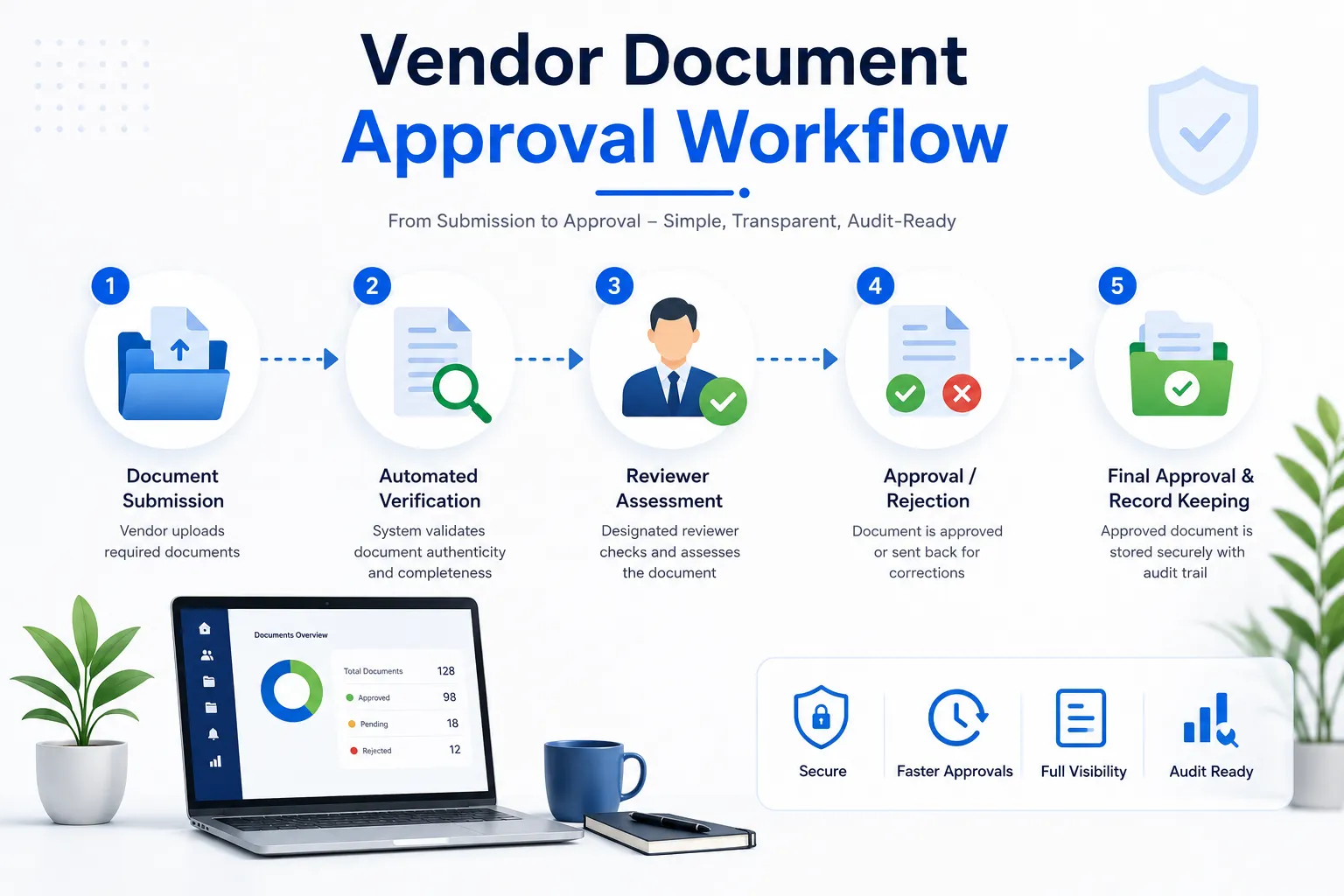
Typical workflow stages include:
- Document submission
- Validation
- Compliance review
- Approval or rejection
- Vendor notification
- Secure storage
- Renewal tracking
Why is it Important?
Without an approval workflow, businesses may face:
- Invalid or expired documents
- Slow onboarding
- Missing approval history
- Compliance gaps
- Audit issues
- Manual follow-ups
| Manual Process | Automated Workflow |
|---|---|
| Email approvals | Configurable workflows |
| Spreadsheet tracking | Real-time dashboard |
| Paper records | Digital repository |
| Manual reminders | Automated notifications |
| Limited visibility | Complete audit trail |
Who Should Use It?
| Industry | Recommended |
|---|---|
| Manufacturing | ✅ |
| Logistics | ✅ |
| Warehousing | ✅ |
| Food Processing | ✅ |
| Engineering | ✅ |
| Construction | ✅ |
Typical Approval Workflow
- Vendor uploads documents.
- System validates required files.
- Compliance team reviews submissions.
- Missing or incorrect documents are rejected with comments.
- Vendor uploads revised documents.
- Approved documents are stored centrally.
- Expiry reminders are scheduled automatically.
Key Benefits
- Faster vendor onboarding
- Consistent approval process
- Better compliance visibility
- Reduced manual work
- Audit-ready records
- Automated renewal tracking
- Improved accountability
Essential Features
Choose software that includes:
- Vendor Self-Service Portal
- Multi-level approval workflow
- Document validation
- AI/OCR document verification
- Approval comments
- Compliance dashboard
- Audit trail
- Expiry reminders
- Reports and analytics
- Role-based permissions
Real Manufacturing Example
A factory onboarding 150 suppliers previously relied on email approvals. Documents were frequently misplaced and approvals lacked traceability.
After implementing a digital approval workflow, reviewers received automatic tasks, vendors were notified instantly about rejected documents, and approved files were stored with complete approval history. Audit preparation became significantly easier.
Buying Checklist
Before selecting software, ensure it offers:
- Configurable approval workflow
- Vendor portal
- Document repository
- Approval history
- AI/OCR validation
- Automated reminders
- Audit trail
- Dashboards
- API integration
- Reporting
Common Mistakes
- Accepting documents without review
- No approval comments
- Manual email approvals
- Missing approval history
- Ignoring document expiry
- Using multiple storage locations
- No role-based access
Best Practices
- Standardize approval rules.
- Use role-based reviewers.
- Record approval and rejection reasons.
- Automate notifications.
- Review workflow performance regularly.
- Track approval turnaround time.
Why VendorCompliancePro?
VendorCompliancePro streamlines document approvals with:
- Vendor Self-Service Portal
- Configurable approval workflows
- AI-powered document validation
- OCR document processing
- Automated expiry reminders
- Compliance dashboards
- Audit trails
- Reports and analytics
This helps procurement teams approve documents faster while maintaining complete compliance records.
Frequently Asked Questions
What is a Vendor Document Approval Workflow?
It is the process of reviewing, validating, approving, rejecting, and tracking vendor compliance documents before and during the supplier relationship.
Why automate approvals?
Automation reduces manual work, speeds onboarding, improves consistency, and provides a complete audit trail.
Can rejected documents be resubmitted?
Yes. Vendors can upload corrected documents, which are reviewed again before approval.
Does VendorCompliancePro support approval workflows?
Yes. VendorCompliancePro includes configurable workflows, document validation, approval history, reminders, dashboards, and reporting.
Conclusion
A Vendor Document Approval Workflow improves compliance, reduces onboarding delays, and creates a transparent approval process. By replacing manual reviews with automated workflows, organizations stay audit-ready while reducing administrative effort.