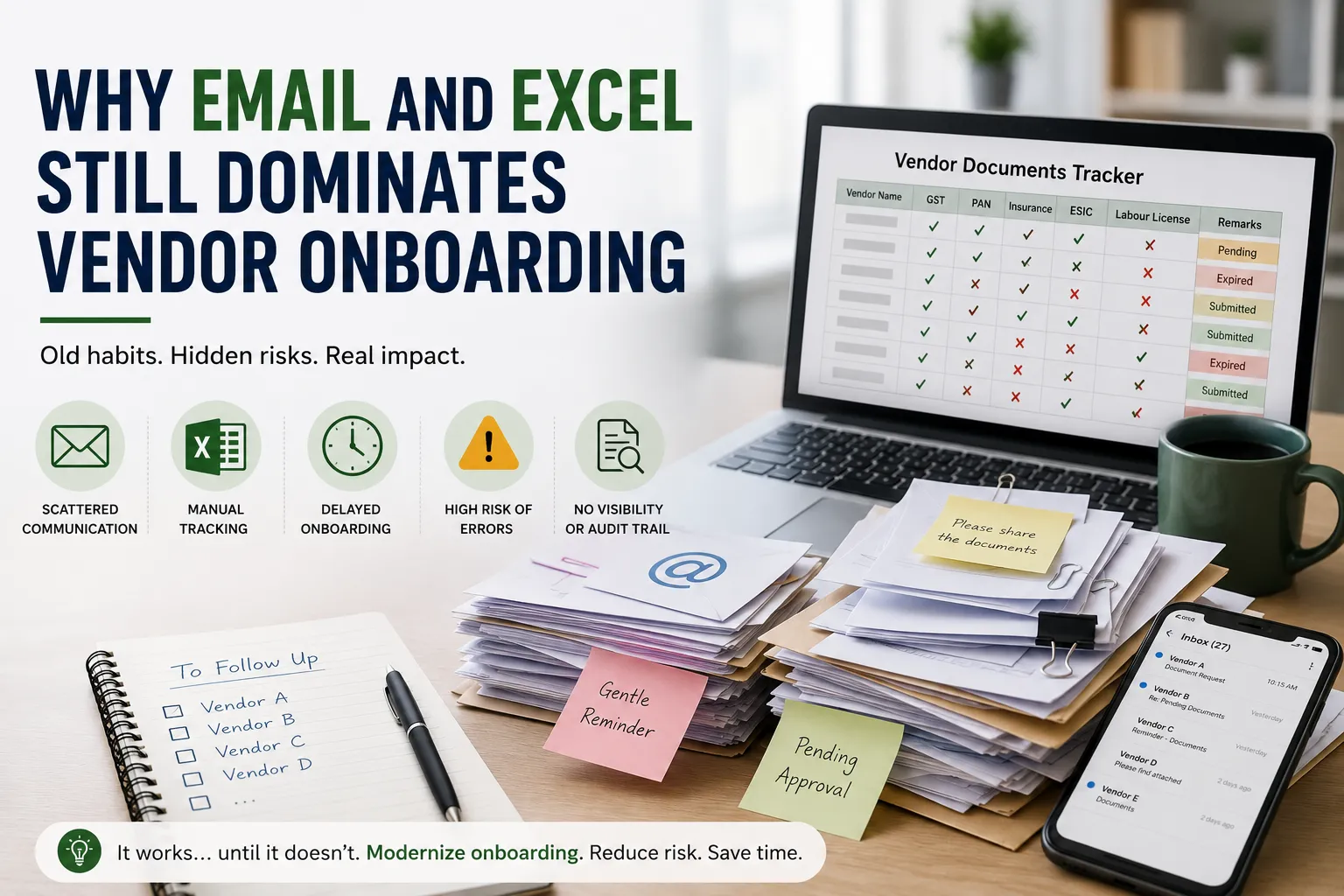
Why “Email + Excel” Still Dominates Vendor Onboarding (And Why It’s Time to Move On)
Ask procurement teams how they onboard new vendors, and you’ll often hear the same answer:
“We send an email with a list of required documents, then track everything in Excel.”
Despite rapid advances in procurement technology, thousands of organizations still depend on emails and spreadsheets to manage vendor onboarding.
The process is familiar, inexpensive, and requires little training.
But as the number of vendors grows, this simple approach quickly becomes difficult to manage.
In this article, we’ll explore why Email + Excel continues to dominate vendor onboarding, the hidden challenges it creates, and how organizations can modernize the process without making it complicated.
Why Organizations Still Use Email and Excel
The answer is simple.
Every organization already has them.
There’s no software to purchase, no implementation project, and every employee already knows how to use Outlook and Excel.
For small businesses with only a few vendors, this approach often works well.
The problems begin when the business grows.
What a Typical Email + Excel Process Looks Like
In many organizations, vendor onboarding follows this workflow:
- Procurement emails the vendor requesting documents.
- The vendor replies with attachments.
- Documents are downloaded and saved.
- Excel is updated manually.
- Missing documents are followed up through more emails.
- Renewals are tracked using reminder dates.
At first glance, this seems manageable.
In reality, every step depends on manual effort.
The Hidden Problems with Email + Excel
The process may appear simple, but it introduces several operational challenges.
1. Endless Email Chains
One vendor rarely submits every document correctly on the first attempt.
Instead, procurement teams exchange multiple emails requesting:
- Missing certificates
- Updated registrations
- Correct file formats
- Renewed licenses
Important attachments often become buried inside long email conversations.
Finding the latest document weeks later becomes frustrating.
2. Spreadsheets Require Constant Manual Updates
Every new vendor means another row in Excel.
Someone must manually update:
- Document status
- Expiry dates
- Approval status
- Follow-up dates
- Remarks
As vendor numbers increase, spreadsheets become harder to maintain accurately.
One missed update can create compliance gaps.
3. No Real-Time Visibility
Managers often ask questions like:
- Which vendors are still pending?
- Which documents are missing?
- Which approvals are overdue?
- Which documents expire next month?
Finding these answers usually requires someone to review multiple spreadsheets manually.
Modern organizations expect this information instantly.
4. Multiple Versions Create Confusion
It’s common to find files like:
- GST_Final.pdf
- GST_New.pdf
- GST_Latest_Final.pdf
- GST_Final_Updated.pdf
Nobody knows which version is actually approved.
Without proper version control, outdated documents often remain in circulation.
5. Follow-Ups Become a Full-Time Job
Procurement professionals spend a surprising amount of time sending reminder emails.
Typical reminders include:
- Please share your GST certificate.
- Insurance certificate is still pending.
- Labour license has expired.
- Kindly resend the signed declaration.
These repetitive tasks consume hours every week.
6. No Clear Ownership
Who is responsible for ensuring onboarding is complete?
Is it Procurement?
Compliance?
Finance?
The Vendor?
Without defined ownership, onboarding often stalls because everyone assumes someone else is following up.
7. Audit Preparation Becomes Difficult
When auditors request vendor records, teams must search through:
- Outlook folders
- Shared drives
- Multiple Excel files
- Personal desktops
Preparing for an audit can take days instead of minutes.
Why Organizations Continue with Manual Processes
If Email + Excel has so many limitations, why do organizations continue using them?
Common reasons include:
- “We’ve always done it this way.”
- Budget constraints.
- Existing processes seem familiar.
- Small teams believe dedicated software isn’t necessary.
- Fear of implementing new systems.
While understandable, these reasons often lead to increasing operational costs over time.
What Modern Vendor Onboarding Looks Like
Organizations are increasingly replacing manual processes with centralized vendor onboarding platforms.
Instead of exchanging dozens of emails, the entire onboarding process happens in one place.
Modern solutions typically include:
Vendor Self-Service Portal
Vendors upload required documents directly into a secure portal.
Centralized Document Repository
Every document is stored in one searchable location.
Automated Document Requests
The system automatically requests missing documents without manual follow-ups.
Approval Workflows
Documents are routed to the appropriate reviewers for approval.
Automated Expiry Tracking
Renewal reminders are sent before documents expire.
Real-Time Dashboards
Managers can instantly see onboarding progress, pending approvals, and compliance status.
Signs Your Organization Has Outgrown Email + Excel
Your organization may be ready for a modern onboarding solution if:
- Procurement spends hours chasing documents.
- Vendor information is scattered across emails and spreadsheets.
- Teams frequently ask for the latest document version.
- Onboarding takes weeks to complete.
- Audits require significant preparation.
- Expired documents are discovered after the deadline.
These are clear indicators that manual processes are limiting efficiency.
How VendorCompliancePro Helps
VendorCompliancePro replaces manual vendor onboarding with a centralized, automated platform.
Key capabilities include:
- Vendor self-service onboarding portal
- Centralized document repository
- Automated document requests
- AI-powered document validation
- Approval workflows
- Automated expiry reminders
- Compliance dashboards
- Complete audit trail
Instead of managing hundreds of email conversations and spreadsheets, procurement teams can monitor the entire onboarding process from a single dashboard.
Frequently Asked Questions
Why do companies still use Excel for vendor onboarding?
Excel is familiar, inexpensive, and easy to start with. However, it becomes difficult to manage as vendor numbers grow.
What are the disadvantages of using email for vendor onboarding?
Email creates long conversation threads, makes document retrieval difficult, lacks version control, and requires manual follow-ups.
How can organizations reduce onboarding time?
Using automated vendor onboarding software with document requests, approval workflows, and centralized storage significantly reduces delays.
Is vendor onboarding software suitable for SMEs?
Yes. Small and medium-sized businesses often benefit the most because automation eliminates repetitive administrative work without requiring large procurement teams.
What should a modern vendor onboarding system include?
A centralized document repository, vendor portal, approval workflows, automated reminders, audit trails, dashboards, and document expiry tracking.
Conclusion
Email and Excel have served procurement teams well for years.
But as organizations grow, manual vendor onboarding becomes increasingly difficult to manage.
The result is longer onboarding cycles, more follow-ups, reduced visibility, and higher compliance risk.
Modern vendor onboarding isn’t about replacing people.
It’s about replacing repetitive manual work with automation, giving procurement teams more time to focus on building strong supplier relationships instead of chasing documents.