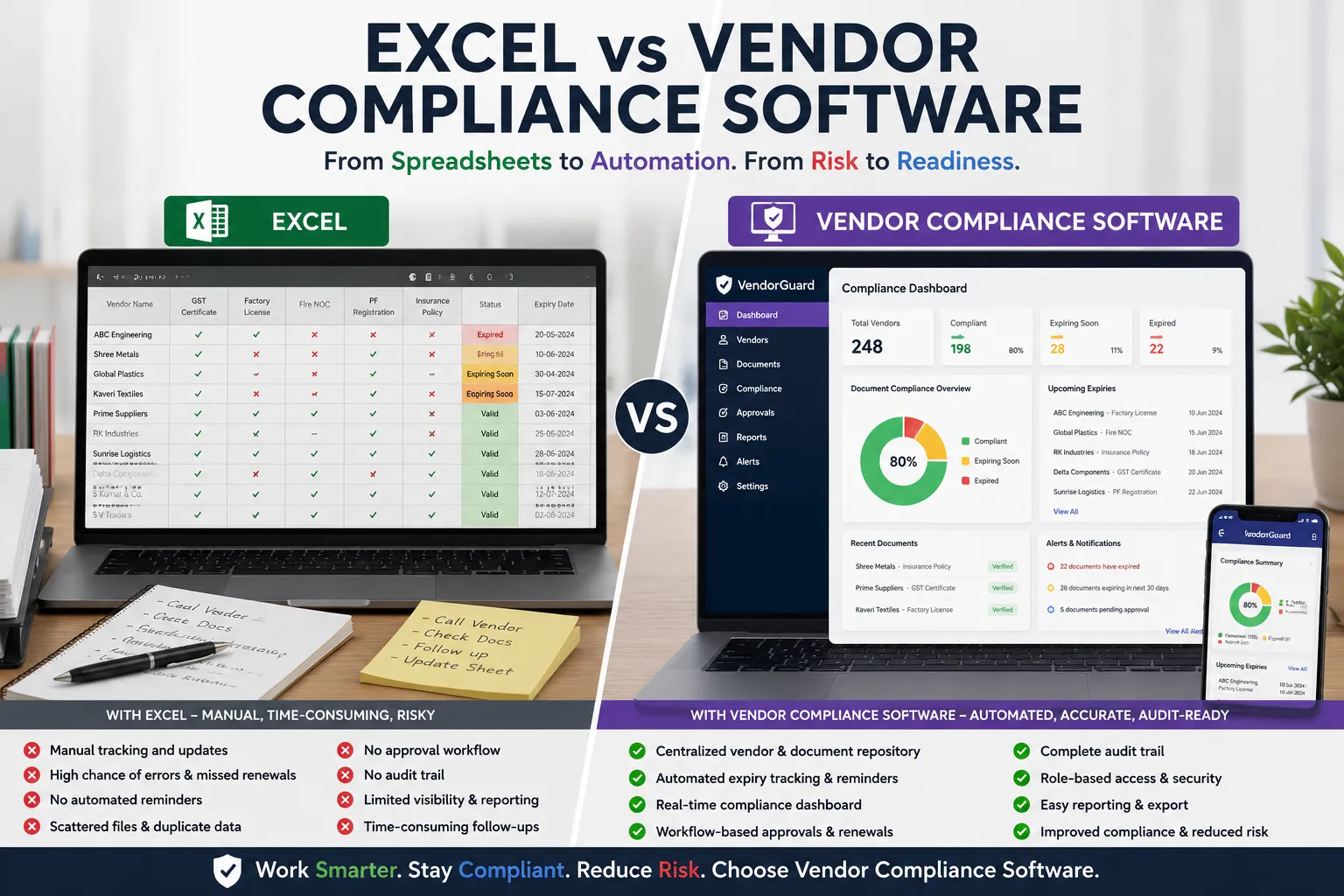
Excel vs Vendor Compliance Software: Which Is Better for Managing Vendor Documents? (2026)
For many organizations, Microsoft Excel is the starting point for managing vendor documents and compliance records. It’s simple, familiar, and readily available. Procurement teams often create spreadsheets to track GST certificates, labour licenses, insurance policies, PF registrations, ESIC registrations, contract expiry dates, and other compliance documents.
However, as businesses grow and the number of suppliers increases, spreadsheets become increasingly difficult to manage. Manual updates, missed renewal dates, duplicate records, and lack of visibility often lead to compliance risks and operational inefficiencies.
Vendor Compliance Software provides a centralized platform for managing supplier documents, automating reminders, tracking document expiry, and maintaining audit-ready records.
In this guide, we’ll compare Excel and Vendor Compliance Software across key areas to help you determine which solution best fits your organization’s needs.
Why Organizations Start with Excel
Excel is a practical choice for businesses managing a small number of vendors.
Common reasons include:
- Already available in most organizations
- Easy to create simple tracking sheets
- No additional software cost
- Familiar interface
- Quick to implement
- Flexible formatting
A simple spreadsheet may work well when managing fewer than 20 vendors with limited compliance requirements.
Challenges of Managing Vendor Compliance in Excel
As vendor numbers increase, manual spreadsheet management becomes more complex.
Common challenges include:
- Manual document updates
- No automatic expiry reminders
- Difficulty tracking multiple document types
- Version control problems
- Duplicate records
- Missing approval history
- Limited collaboration
- Difficult audit preparation
- No vendor self-service
- Increased risk of human error
These limitations become more noticeable when organizations manage hundreds of vendors across multiple locations.
Excel vs Vendor Compliance Software Comparison
| Feature | Excel | Vendor Compliance Software |
|---|---|---|
| Centralized Vendor Repository | Limited | ✓ |
| Document Storage | Manual Links | ✓ |
| Vendor Self-Service Portal | ✗ | ✓ |
| Document Upload | Manual | ✓ |
| Expiry Date Tracking | Manual | ✓ Automatic |
| Email Reminders | Manual | ✓ Automated |
| Approval Workflow | ✗ | ✓ |
| Role-Based Access | Limited | ✓ |
| Audit Trail | ✗ | ✓ |
| Compliance Dashboard | Manual | ✓ |
| Vendor Risk Visibility | Limited | ✓ |
| Reporting | Manual | ✓ |
| Multi-User Collaboration | Limited | ✓ |
| Scalability | Low | High |
For organizations with growing supplier networks, dedicated software offers significant operational advantages.
Feature Comparison
1. Vendor Document Management
Excel
Documents are usually stored in shared folders with spreadsheet links.
Challenges include:
- Broken file links
- Duplicate documents
- Missing versions
- Manual organization
Vendor Compliance Software
All documents are stored securely in a centralized repository with version history and easy retrieval.
2. Document Expiry Tracking
Excel
Teams manually calculate expiry dates and maintain reminder columns.
Risks include:
- Missed renewals
- Manual follow-ups
- Forgotten reminders
Vendor Compliance Software
Automatic alerts notify vendors and administrators before documents expire, reducing compliance risks.
3. Vendor Onboarding
Excel
Procurement teams collect documents through emails or messaging apps.
This often leads to:
- Missing documents
- Duplicate requests
- Delayed approvals
Vendor Compliance Software
Vendors upload documents directly through a secure self-service portal, simplifying the onboarding process.
4. Approval Workflow
Excel
Approvals are generally managed through emails or verbal communication.
This makes it difficult to determine:
- Who approved the document?
- When was it approved?
- Why was it rejected?
Vendor Compliance Software
Built-in approval workflows maintain complete approval history and audit trails.
5. Compliance Dashboard
Excel
Creating dashboards requires manual formulas, charts, and regular updates.
Vendor Compliance Software
Real-time dashboards display:
- Expired documents
- Upcoming renewals
- Missing documents
- Pending approvals
- Vendor compliance percentage
Management gains instant visibility into supplier compliance.
6. Audit Readiness
Excel
Preparing for audits often requires searching through multiple folders and spreadsheets.
Vendor Compliance Software
Auditors can quickly access vendor records, compliance documents, approval history, and reports from one centralized system.
7. Security
Excel
Spreadsheets are commonly shared through email or shared drives.
Risks include:
- Unauthorized access
- Accidental deletion
- Multiple versions
- Lost audit history
Vendor Compliance Software
Modern systems provide:
- Role-based access
- User authentication
- Audit logs
- Secure document storage
- Backup and recovery
When Is Excel Enough?
Excel may still be suitable if your organization:
- Manages fewer than 20 vendors.
- Tracks only a few document types.
- Has no formal approval process.
- Doesn’t require audit reporting.
- Doesn’t need automated reminders.
For very small businesses, spreadsheets can be an economical starting point.
When Should You Move to Vendor Compliance Software?
Organizations should consider dedicated software when they experience:
- More than 50 active vendors
- Multiple vendor locations
- Frequent document renewals
- Customer audits
- ISO audits
- Contractor compliance requirements
- Labour compliance monitoring
- Multiple document types
- Manual follow-up consuming significant time
These are strong indicators that manual tracking is becoming inefficient.
Benefits of Vendor Compliance Software
Compared with spreadsheets, dedicated software provides:
- Centralized document repository
- Vendor self-service portal
- Automated expiry reminders
- Approval workflows
- Compliance dashboards
- Audit-ready reports
- Role-based access
- Document version control
- Vendor performance visibility
- Reduced manual effort
These features improve operational efficiency while reducing compliance risks.
Best Practices for Managing Vendor Compliance
Organizations with mature vendor compliance programs typically:
- Standardize vendor document requirements.
- Digitize vendor records.
- Track document expiry automatically.
- Maintain approval workflows.
- Review vendor compliance periodically.
- Keep audit-ready documentation.
- Assign clear ownership for vendor compliance.
- Use dashboards to monitor compliance status.
These practices help build a more resilient and compliant supplier management process.
Common Mistakes to Avoid
Many organizations continue using spreadsheets long after they have outgrown them.
Common mistakes include:
- Tracking hundreds of vendors in one spreadsheet.
- Relying on manual reminder emails.
- Storing documents in multiple folders.
- Not maintaining approval history.
- Missing document renewal deadlines.
- Sharing spreadsheets through email.
- Having no centralized audit trail.
- Updating vendor records inconsistently.
Addressing these issues improves both operational efficiency and compliance.
Frequently Asked Questions
Is Excel good enough for vendor compliance management?
Excel works well for small organizations with a limited number of vendors and simple compliance requirements. As vendor numbers increase, manual management becomes more difficult and error-prone.
What are the biggest disadvantages of using Excel?
Common disadvantages include manual updates, lack of automated reminders, limited collaboration, no approval workflows, poor audit visibility, and increased risk of human error.
What are the benefits of vendor compliance software?
Vendor compliance software centralizes documents, automates expiry reminders, provides approval workflows, improves audit readiness, offers real-time dashboards, and reduces manual effort.
When should a company move from Excel to vendor compliance software?
Organizations should consider dedicated software when managing more than 50 vendors, handling multiple compliance documents, preparing for audits, or spending significant time on manual follow-ups.
Can vendor compliance software replace spreadsheets?
Yes. Most organizations can replace spreadsheets with a centralized platform that manages vendor documents, compliance tracking, approvals, reminders, and reporting more efficiently.
Is vendor compliance software suitable for SMEs?
Yes. Cloud-based vendor compliance solutions help SMEs improve compliance without the complexity of enterprise procurement systems while reducing administrative effort.
Conclusion
Excel has served as the default tool for vendor document tracking for many years, and for small organizations with a limited number of suppliers, it may still be sufficient.
However, as businesses grow, vendor networks expand, and compliance requirements become more demanding, spreadsheets often become a source of inefficiency rather than a solution.
Vendor Compliance Software provides a centralized, scalable, and automated approach to supplier document management. By replacing manual tracking with automated workflows, organizations can improve compliance visibility, reduce administrative effort, and stay prepared for audits throughout the vendor lifecycle.