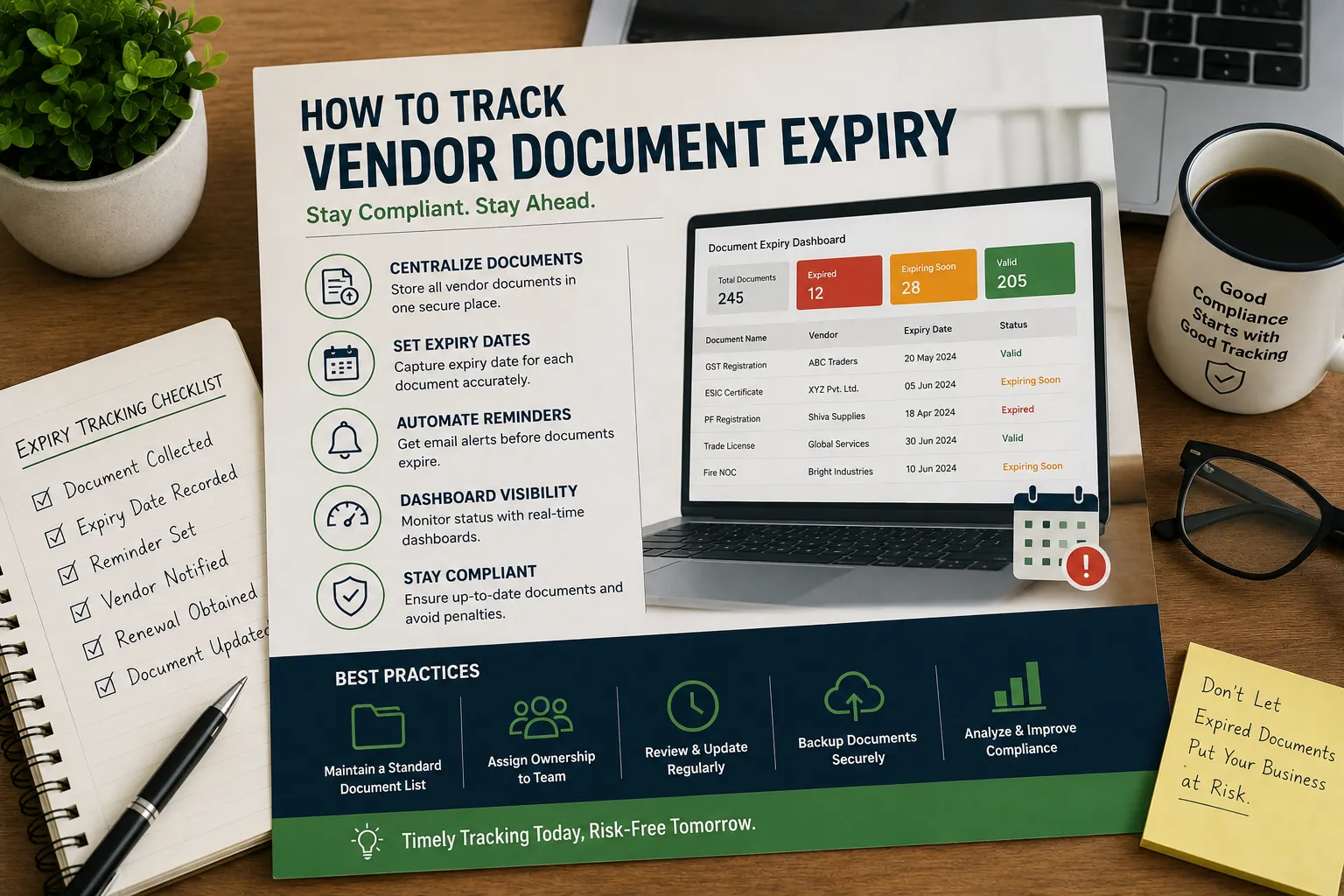
How to Track Vendor Document Expiry: Complete Guide for Indian Businesses (2026)
Managing vendor compliance doesn’t end after collecting supplier documents. One of the biggest challenges procurement and compliance teams face is ensuring that vendor documents remain valid throughout the business relationship.
Certificates such as GST Registration, Factory License, Labour License, Fire NOC, Insurance Policies, PF Registration, ESIC Registration, and ISO Certifications all have different validity periods. Missing even one renewal can expose an organization to compliance risks, audit findings, operational disruptions, or contractual penalties.
Many organizations still rely on Excel spreadsheets, calendars, or manual reminders to monitor document expiry dates. While these methods may work for a small number of vendors, they quickly become difficult to manage as supplier networks grow.
This guide explains how to track vendor document expiry effectively, the challenges of manual tracking, best practices, and how automation can help organizations stay compliant and audit-ready.
Why Tracking Vendor Document Expiry Is Important
Vendor compliance is an ongoing responsibility rather than a one-time activity.
Every expired document increases business risk.
Examples include:
- Expired Factory License
- Expired Labour License
- Expired Fire NOC
- Expired Insurance Policy
- Expired Pollution Control Consent
- Expired Professional Tax Registration
- Expired Contractor License
- Expired ISO Certificate
If these documents expire without renewal, organizations may face:
- Regulatory penalties
- Failed customer audits
- Supplier suspension
- Production delays
- Contract violations
- Safety risks
- Reputational damage
Tracking document expiry helps ensure suppliers remain compliant throughout the contract period.
Common Vendor Documents That Require Expiry Tracking
Procurement teams commonly monitor the following documents.
Business Registration Documents
- GST Registration Certificate
- Udyam Registration Certificate
- Factory License
- Trade License
Labour Compliance Documents
- Labour License
- PF Registration
- ESIC Registration
- Contractor License
Safety and Environmental Documents
- Fire NOC
- Pollution Control Board Consent
- Hazardous Waste Authorization
- Environmental Clearance
Insurance Documents
- Public Liability Insurance
- Workmen Compensation Insurance
- Professional Indemnity Insurance
- Product Liability Insurance
Quality Certifications
- ISO 9001
- ISO 14001
- ISO 45001
- ISO 27001
- IATF 16949
Every organization should define which documents are mandatory for each vendor category.
Challenges of Manual Expiry Tracking
Many organizations use Excel spreadsheets to maintain document expiry dates.
Although simple, manual tracking introduces several challenges.
Common problems include:
- Missed renewal dates
- Manual reminder emails
- Duplicate spreadsheets
- Incorrect expiry dates
- Human error
- No approval history
- Poor visibility
- Difficult audit preparation
- Lack of accountability
These issues become more frequent as the number of vendors increases.
How to Track Vendor Document Expiry
A structured process helps organizations manage vendor documents more effectively.
Step 1: Create a Vendor Document Checklist
Define the mandatory documents required for each vendor category.
For example:
| Vendor Type | Required Documents |
|---|---|
| Manufacturing Supplier | GST, Factory License, Fire NOC, ISO |
| Contractor | Labour License, PF, ESIC, Insurance |
| Transport Vendor | Vehicle Insurance, Fitness Certificate, GST |
| Warehouse | Fire NOC, Factory License, Insurance |
This ensures every vendor is evaluated consistently.
Step 2: Record Expiry Dates
For every uploaded document, record:
- Document Name
- Document Number
- Issue Date
- Expiry Date
- Vendor Name
- Document Status
Maintaining accurate expiry dates is the foundation of compliance tracking.
Step 3: Categorize Documents
Classify documents based on renewal frequency.
Examples:
- Monthly
- Quarterly
- Half-Yearly
- Annual
- Multi-Year
This helps prioritize follow-up activities.
Step 4: Set Renewal Reminder Timelines
Rather than waiting until the expiry date, schedule reminders well in advance.
A common reminder schedule includes:
| Days Before Expiry | Action |
|---|---|
| 90 Days | Initial Reminder |
| 60 Days | Second Reminder |
| 30 Days | Urgent Reminder |
| 15 Days | Escalation |
| 7 Days | Final Reminder |
| Expired | Compliance Alert |
Multiple reminders reduce the risk of missed renewals.
Step 5: Verify Updated Documents
When vendors submit renewed documents:
- Verify authenticity.
- Confirm document type.
- Check expiry date.
- Review supporting information.
- Approve or reject the submission.
Document verification is as important as document collection.
Step 6: Maintain an Audit Trail
Maintain complete records of:
- Upload Date
- Approval Date
- Reviewer
- Previous Versions
- Comments
- Renewal History
Audit trails improve accountability and simplify compliance reviews.
Excel vs Automated Document Tracking
| Feature | Excel | Vendor Compliance Software |
|---|---|---|
| Expiry Date Tracking | Manual | ✓ Automatic |
| Reminder Emails | Manual | ✓ Automated |
| Vendor Portal | ✗ | ✓ |
| Approval Workflow | ✗ | ✓ |
| Dashboard | Manual | ✓ |
| Audit Trail | ✗ | ✓ |
| Document Repository | Limited | ✓ |
| Role-Based Access | Limited | ✓ |
Organizations managing large vendor networks often benefit from dedicated software rather than spreadsheets.
Best Practices for Tracking Vendor Document Expiry
Organizations with mature vendor compliance programs typically:
- Standardize document requirements.
- Maintain a centralized document repository.
- Assign document ownership.
- Verify documents before approval.
- Track renewal dates automatically.
- Review compliance dashboards regularly.
- Escalate overdue renewals.
- Maintain complete audit trails.
- Conduct periodic vendor compliance reviews.
Following these practices reduces compliance risks while improving operational efficiency.
Common Mistakes to Avoid
Many organizations experience compliance issues because document expiry is not managed proactively.
Avoid these common mistakes:
- Waiting until documents expire.
- Tracking expiry dates in multiple spreadsheets.
- Forgetting to verify renewed documents.
- Not assigning document owners.
- Ignoring reminder emails.
- Maintaining duplicate vendor records.
- Missing contractor compliance documents.
- Preparing documents only before audits.
These mistakes increase operational and regulatory risks.
Why Vendor Compliance Software Simplifies Expiry Tracking
Dedicated vendor compliance software automates many of the manual tasks associated with document management.
Key capabilities include:
- Centralized document repository
- Automatic expiry reminders
- Vendor self-service portal
- Approval workflows
- Compliance dashboards
- Audit-ready reports
- Version history
- Role-based access
- Document status monitoring
- Renewal notifications
Automation allows procurement teams to focus on compliance rather than administrative follow-ups.
Frequently Asked Questions
Why is vendor document expiry tracking important?
Tracking document expiry ensures suppliers maintain valid licenses, registrations, insurance policies, and compliance certificates, helping organizations reduce operational and regulatory risks.
Which vendor documents should be monitored?
Organizations commonly track GST Registration, Factory License, Labour License, Fire NOC, Insurance Policies, PF Registration, ESIC Registration, Pollution Control Board Consent, and ISO Certifications.
How early should renewal reminders be sent?
Many organizations send reminders 90, 60, 30, 15, and 7 days before document expiry, allowing sufficient time for vendors to renew and submit updated documents.
Can Excel be used to track vendor document expiry?
Yes. Excel can be used for small supplier databases. However, manual tracking becomes difficult as vendor numbers grow and compliance requirements become more complex.
How does vendor compliance software improve expiry tracking?
Vendor compliance software automates reminder notifications, centralizes vendor documents, tracks expiry dates, manages approval workflows, and provides compliance dashboards, significantly reducing manual effort.
What happens if a vendor document expires?
Expired documents can result in supplier suspension, audit findings, regulatory penalties, operational delays, and increased compliance risks until the document is renewed and approved.
Conclusion
Tracking vendor document expiry is a critical part of maintaining supplier compliance and reducing business risk. By monitoring expiry dates, sending timely renewal reminders, verifying updated documents, and maintaining complete audit trails, organizations can ensure vendors remain compliant throughout the business relationship.
While Excel may be sufficient for a small number of suppliers, growing organizations often require a more efficient solution. Dedicated vendor compliance software centralizes document management, automates expiry tracking, improves audit readiness, and provides real-time visibility into vendor compliance across the organization.