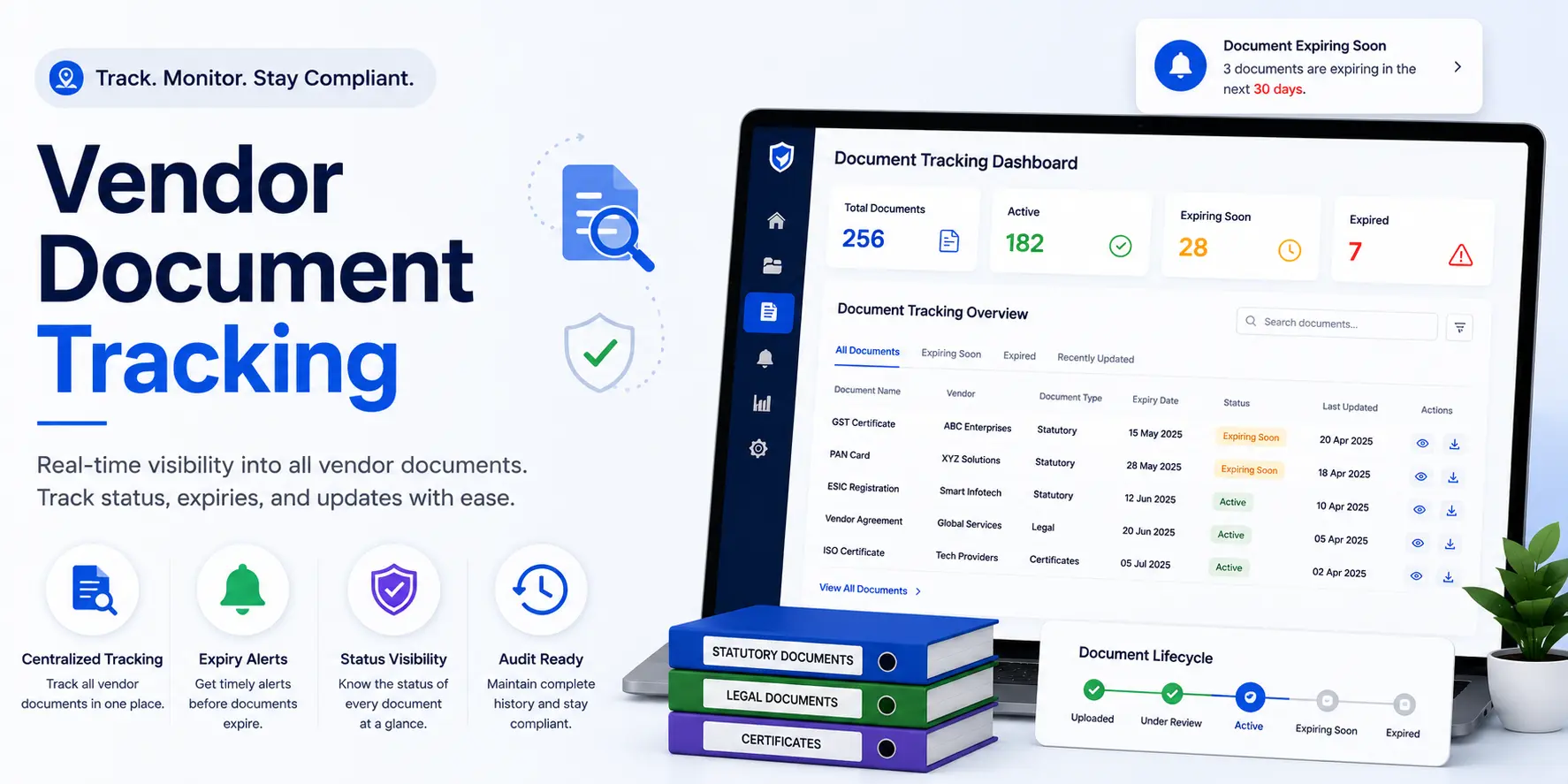
Vendor Document Tracking: Complete Guide to Tracking Supplier and Contractor Documents
How do you know which vendor documents are missing, expiring, or already expired?
For many procurement and compliance teams, the answer is an Excel spreadsheet, email reminders, or a shared folder.
These methods can work for a small number of vendors, but tracking becomes more difficult as the number of suppliers, contractors, documents, and expiry dates increases.
Vendor document tracking is the process of monitoring vendor and contractor documents throughout their lifecycle, including collection, verification, approval, expiry tracking, renewal, and ongoing compliance review.
A structured vendor document tracking process helps organizations identify missing documents, monitor expiry dates, follow up on renewals, and maintain better visibility across the vendor network.
This guide explains:
- What vendor document tracking means
- Why vendor document tracking is important
- Which documents are commonly tracked
- How the tracking process works
- How to track document expiry and renewals
- Manual vs automated tracking
- Best practices
- Features to look for in vendor document tracking software
- How AI can support document tracking
- How VendorCompliancePro helps
What Is Vendor Document Tracking?
Vendor document tracking is the process of monitoring supplier and contractor documents from the time they are requested or submitted through verification, approval, expiry, renewal, and replacement.
A complete tracking process can include:
- Document requirements
- Document collection
- Document verification
- Approval
- Expiry tracking
- Renewal reminders
- Re-submission
- Compliance status
- Audit reporting
- Document history
The objective is to know the current status of every required document.
For example:
Is the document missing, submitted, under review, approved, expiring soon, expired, or awaiting renewal?
A clear status makes it easier for procurement and compliance teams to take action.
Vendor Document Tracking vs Vendor Document Management
These concepts are closely related.
Vendor Document Management
Focuses on:
- Collecting documents
- Storing documents
- Organizing documents
- Managing versions
- Controlling access
- Maintaining document history
Vendor Document Tracking
Focuses more specifically on:
- Document status
- Expiry dates
- Renewal dates
- Missing documents
- Pending approvals
- Compliance gaps
- Follow-up actions
In practice, a vendor document management system often provides the foundation for vendor document tracking.
A useful workflow is:
Collect → Verify → Store → Track → Renew → Monitor
Why Is Vendor Document Tracking Important?
Organizations depend on suppliers, contractors, transport vendors, manpower agencies, and service providers.
A vendor document may be valid when the supplier is onboarded but become outdated later.
Without ongoing tracking, organizations may experience:
- Expired documents
- Missing documents
- Delayed renewals
- Compliance gaps
- Audit preparation problems
- Repeated manual follow-ups
- Limited management visibility
- Operational risk
A structured tracking process helps teams identify these issues earlier.
It can also make it easier to prioritize vendors and documents that require immediate attention.
Vendor Document Tracking Process at a Glance
A practical process can be organized into these stages:
| Stage | Activity | Main Outcome |
|---|---|---|
| 1 | Define document requirements | Required documents identified |
| 2 | Vendor registration | Vendor information established |
| 3 | Document collection | Required files received |
| 4 | Verification | Documents reviewed |
| 5 | Approval | Accepted or rejected |
| 6 | Centralized storage | Current records organized |
| 7 | Expiry tracking | Expiring documents identified |
| 8 | Renewal reminders | Vendor notified |
| 9 | Renewal and re-submission | Updated document received |
| 10 | Compliance monitoring | Gaps and exceptions tracked |
| 11 | Reporting | Current status available |
The exact process should be adapted to the organization’s vendor categories and document requirements.
Documents Commonly Tracked
The documents tracked depend on the vendor relationship, industry, contract, and applicable requirements.
Registration Documents
Examples include:
- GST Registration Certificate
- PAN Card
- MSME/Udyam Certificate
- Business registration documents
Statutory Documents
Depending on the vendor and applicable requirements:
- PF Registration Certificate
- ESIC Registration Certificate
- Labour License
- Contractor License
- Other statutory registrations
Insurance Documents
Where required:
- Workmen’s compensation insurance
- Public liability insurance
- Group medical insurance
- Other required insurance policies
Employee and Contractor Records
For applicable manpower or contractor relationships:
- Attendance records
- Wage records
- Salary records
- Employee lists
- Training records
- Other required labour compliance evidence
Safety Documents
Depending on the organization:
- Safety training records
- PPE compliance records
- Risk assessment reports
- Safety certifications
- Inspection records
Environmental and Operational Documents
Depending on the vendor and industry:
- Pollution-control consents
- Factory licenses
- Environmental clearances
- Other applicable permits
The organization should define a document requirement matrix instead of assuming every vendor needs every document.
Documents That Require Expiry Tracking
Not every document requires the same type of expiry monitoring.
A practical classification is:
| Document Type | Expiry / Review Approach |
|---|---|
| Labour License | Track expiry |
| Contractor License | Track expiry |
| Insurance Policy | Track expiry |
| Factory License | Track expiry where applicable |
| Pollution-control consent | Track expiry where applicable |
| Certifications | Track validity period |
| GST Registration | Monitor status and changes |
| PAN | Monitor status and changes |
| PF Registration | Monitor status and changes |
| ESIC Registration | Monitor status and changes |
The exact validity and review requirements should be based on the applicable document and organization policy.
This is important because not every registration has a simple annual expiry date.
Vendor Document Statuses
A consistent status model makes document tracking easier.
Possible statuses include:
- Required
- Missing
- Pending Upload
- Submitted
- Under Review
- Approved
- Rejected
- Expiring Soon
- Expired
- Renewal Pending
- Renewed
- Archived
Organizations can customize these statuses according to their workflow.
For example:
Missing
The vendor has not submitted the required document.
Submitted
The document has been received but has not yet been approved.
Approved
The document has passed the required review.
Expiring Soon
The document is approaching its review or expiry date according to the organization’s configured threshold.
Expired
The document is no longer valid according to the organization’s tracking rules.
Vendor Document Tracking Process
Step 1: Define Required Documents
Determine which documents each vendor needs to submit.
Requirements can depend on:
- Vendor type
- Industry
- Location
- Risk
- Contract
- Compliance requirements
Step 2: Register the Vendor
Capture the vendor’s core information.
Typical information includes:
- Legal name
- Vendor ID
- Address
- Contact information
- Vendor category
- Tax information
- Business information
See Vendor Registration Process for a detailed workflow.
Step 3: Collect Documents
Request the required documents from the vendor.
A digital vendor portal can show vendors exactly which documents are required and which submissions are still pending.
Step 4: Verify Submitted Documents
Review documents for:
- Correct document type
- Correct vendor
- Required information
- Readability
- Validity
- Expiry date
- Consistency with vendor information
OCR or AI-assisted validation can support this process, but important compliance decisions may still require human review.
Step 5: Approve or Reject Documents
Documents can be:
- Approved
- Rejected
- Returned for correction
- Pending review
Where a document is rejected, record an appropriate reason and request a replacement or correction.
Step 6: Record Document Dates
For documents with defined validity periods, record:
- Issue date
- Expiry date
- Review date where applicable
- Renewal date
- Submission date
This information supports proactive tracking.
Step 7: Monitor Document Status
Monitor which documents are:
- Missing
- Pending review
- Approved
- Expiring soon
- Expired
- Awaiting renewal
A dashboard can make these exceptions easier to identify.
Step 8: Send Renewal Reminders
Send reminders before a document reaches its expiry date.
For example, an organization might configure:
- 90-day reminder
- 60-day reminder
- 30-day reminder
- Escalation after expiry
These are examples only. Reminder schedules should be configurable according to the organization’s policy.
Step 9: Collect and Approve the Renewal
When the vendor submits a renewed document:
- Receive the document
- Verify it
- Approve or reject it
- Update the document status
- Record the new validity period
- Maintain the document history
The previous document should be retained according to the organization’s retention policy where appropriate.
Step 10: Report and Monitor
Generate reports showing:
- Missing documents
- Expiring documents
- Expired documents
- Pending approvals
- Renewal status
- Vendor compliance status
This gives procurement and compliance teams a current view of outstanding actions.
How to Track Vendor Document Expiry
Expiry tracking should not rely entirely on someone remembering a date.
For each time-limited document, maintain information such as:
| Field | Example |
|---|---|
| Vendor | ABC Engineering |
| Document | Insurance Certificate |
| Issue Date | Document-specific |
| Expiry Date | Document-specific |
| Status | Active |
| Renewal Status | Pending / Renewed |
| Responsible Owner | Procurement |
| Last Reviewed | Review date |
The tracking system should make it easy to identify documents approaching their configured renewal or expiry threshold.
Vendor Document Renewal Workflow
A practical renewal workflow can be:
Document Expiring Soon
↓
Reminder to Vendor
↓
Vendor Submits Renewal
↓
Document Verification
↓
Approval
↓
New Expiry Date Recorded
↓
Status Updated
↓
Next Review Scheduled
This reduces the chance that a document simply expires without follow-up.
Common Challenges With Manual Vendor Document Tracking
Missed Expiry Dates
A spreadsheet may contain an expiry date, but the responsible person still needs to notice it and take action.
Incorrect Dates
Manual data entry can result in incorrect issue or expiry dates.
Scattered Files
The tracking spreadsheet may exist separately from the actual documents.
Repeated Email Follow-Ups
Teams may spend significant time requesting the same documents from vendors.
No Clear Ownership
It may not be clear who is responsible for following up on a missing or expiring document.
Difficult Audit Preparation
Teams may have to search multiple systems to reconstruct document status and history.
Limited Real-Time Visibility
A spreadsheet may not provide an accurate current picture if multiple people update it inconsistently.
Manual Tracking vs Automated Vendor Document Tracking
| Manual Process | Automated Tracking |
|---|---|
| Excel spreadsheet | Centralized vendor records |
| Manual date checking | Automated expiry monitoring |
| Email reminders | Configurable notifications |
| Scattered documents | Linked document repository |
| Manual status updates | Workflow-based status |
| Difficult follow-up | Exception lists and dashboards |
| Limited history | Document and activity history |
| Last-minute preparation | Continuous monitoring |
Automation can reduce repetitive work, but organizations should still define clear ownership and review processes.
Benefits of Vendor Document Tracking
Improved Compliance Visibility
Teams can see which vendors have missing, expiring, or expired documents.
Proactive Renewals
Reminders can start the renewal process before a document expires.
Reduced Manual Follow-Up
Automated notifications can reduce repetitive email communication.
Faster Audits
Current document status and records are easier to retrieve.
Better Accountability
Assigned owners and workflow history make responsibilities clearer.
Reduced Operational Risk
Organizations can identify important document gaps earlier.
Better Vendor Collaboration
Vendors can see what documents are required and submit updates through a structured process.
Features to Look for in Vendor Document Tracking Software
When evaluating a vendor document tracking system, consider:
- Centralized document repository
- Vendor self-service portal
- Configurable document requirements
- Document expiry tracking
- Configurable reminder schedules
- Renewal tracking
- Approval workflows
- Document status management
- Search and filtering
- Compliance dashboards
- Missing-document reports
- Expired-document reports
- Document history
- Audit trails
- Role-based access
- Reporting
- API integration
- ERP or procurement integration
- OCR or AI-assisted document processing
The right feature set depends on vendor volume, document complexity, compliance requirements, and existing systems.
Vendor Document Tracking Best Practices
1. Define Document Requirements by Vendor Type
Do not require every vendor to submit the same documents.
Create a clear document matrix based on the vendor relationship.
2. Centralize Documents and Tracking Information
Keep the document and its tracking information connected to the correct vendor record.
3. Use Standard Document Categories
Consistent categories make documents easier to find and report on.
4. Configure Reminder Schedules
Start renewal follow-up before the document expires.
5. Assign Ownership
Define who is responsible for reviewing, following up, and resolving document issues.
6. Track Missing and Expired Documents Separately
A missing document and an expired document represent different situations and may require different actions.
7. Maintain Document History
Keep previous versions and status changes according to your retention policy.
8. Review Compliance Periodically
Use periodic reviews to identify unresolved vendor-document issues.
9. Protect Sensitive Information
Use appropriate access controls for financial, personal, and other sensitive vendor information.
10. Connect Tracking With Vendor Compliance
Document tracking should support the wider process:
Vendor Registration → Vendor Master → Document Tracking → Vendor Compliance → Audit Readiness
Why Excel Is Not Always Enough
Excel can be useful for basic vendor document tracking.
However, as vendor and document volumes increase, teams may encounter:
- Manual updates
- Duplicate records
- Incorrect dates
- Missed reminders
- Difficult document retrieval
- Limited access control
- Difficult approval tracking
- Poor audit history
The issue is not that Excel is always unsuitable.
For a small process, it may be sufficient.
The challenge is that spreadsheets require people to maintain the data, monitor dates, send reminders, and keep documents organized.
A dedicated vendor document tracking system can combine:
Documents + Dates + Status + Reminders + Approvals + Reporting
in one workflow.
How AI Can Improve Vendor Document Tracking
AI and OCR technologies can support parts of the document-tracking workflow.
Depending on the implementation, they can help:
- Identify document types
- Extract expiry dates
- Extract registration numbers
- Extract vendor names
- Identify potential missing information
- Support document validation
- Reduce manual data entry
- Flag documents for human review
For compliance-critical processes, AI should support appropriate human review rather than being treated as infallible.
Industries That Benefit From Vendor Document Tracking
Vendor document tracking can be useful across many industries.
Manufacturing
Track supplier, contractor, quality, safety, and statutory documents.
Logistics
Track transporter, insurance, and service-provider documents.
Warehousing
Monitor facility, maintenance, labour, and service vendor records.
Construction
Track contractor, subcontractor, labour, safety, and insurance documents.
Engineering
Manage supplier, project, safety, and compliance records.
Facility Management
Track service-provider, labour, insurance, and compliance documentation.
The exact documents and tracking rules should be defined for each industry and vendor category.
How VendorCompliancePro Helps With Vendor Document Tracking
VendorCompliancePro provides capabilities for managing vendor documents and monitoring compliance status.
Organizations can use the platform for:
- Vendor self-service portal
- Vendor registration
- Centralized vendor document repository
- Configurable document requirements
- Document collection
- AI-powered document validation
- OCR processing
- Approval workflows
- Automated expiry reminders
- Renewal tracking
- Compliance dashboards
- Audit trails
- Reports and analytics
The platform helps connect:
Vendor → Documents → Status → Expiry → Renewal → Compliance
VendorCompliancePro can complement an existing ERP or procurement system by focusing on vendor document collection, validation, expiry monitoring, compliance workflows, and audit readiness.
Vendor Document Tracking Checklist
Use this checklist to review your current process:
- Vendor document requirements are defined
- Requirements vary by vendor type where appropriate
- Documents are stored centrally
- Document status is tracked
- Missing documents are identified
- Expiry dates are recorded
- Renewal reminders are configured
- Renewal submissions are tracked
- Document approvals are recorded
- Rejected documents are tracked
- Document history is maintained
- Responsible owners are assigned
- Compliance dashboards or reports are available
- Audit trails are maintained
- Sensitive documents have appropriate access controls
Frequently Asked Questions
What is vendor document tracking?
Vendor document tracking is the process of monitoring supplier and contractor documents throughout their lifecycle, including collection, verification, approval, expiry, renewal, and compliance review.
Why is vendor document tracking important?
It helps organizations identify missing and expiring documents, reduce manual follow-up, improve compliance visibility, and stay better prepared for audits.
Which vendor documents should be tracked?
The required documents depend on the vendor and applicable requirements. Common examples include GST, PAN, business registrations, insurance, labour, PF, ESIC, safety, and other statutory or contractual documents.
How do you track vendor document expiry?
Record the relevant issue, review, and expiry dates and configure reminders before documents require renewal or attention.
Can Excel be used for vendor document tracking?
Yes. Excel can be suitable for smaller processes.
However, larger programs may benefit from centralized document storage, automated reminders, approval workflows, dashboards, and audit trails.
What is a vendor document tracking system?
A vendor document tracking system is software that helps organizations monitor vendor documents, statuses, expiry dates, renewals, approvals, and compliance information.
Can vendor document tracking be automated?
Yes. Organizations can automate document reminders, status updates, renewal workflows, reporting, and some document-validation tasks.
Human review may still be required for important compliance decisions.
How often should vendor documents be reviewed?
The appropriate frequency depends on the document type, vendor risk, business requirements, and applicable obligations. Time-limited documents should be monitored according to their validity periods, while other records may require periodic review.
Conclusion
Vendor document tracking is an important part of vendor compliance and procurement governance.
A strong tracking process connects:
Document Requirements → Collection → Verification → Approval → Expiry Tracking → Renewal → Compliance Monitoring → Audit Reporting
Organizations that rely entirely on spreadsheets and email reminders may find it increasingly difficult to maintain visibility as vendor and document volumes grow.
A structured vendor document tracking system can help teams identify missing documents, start renewals earlier, reduce repetitive follow-up, and maintain better audit readiness.
The goal is simple:
Know which vendor documents are required, where they are, what their current status is, and when action is needed.
Related Articles
- Vendor Document Management
- Vendor Registration Process
- Vendor Master Data Management
- Supplier Master Data Management: Best Practices
- Supplier Risk Assessment Process
- Vendor Audit Readiness Checklist
- Vendor Document Expiry Reminder
- Vendor Contract Expiry Reminder
- Vendor Compliance Checklist India
- Vendor Compliance Software India