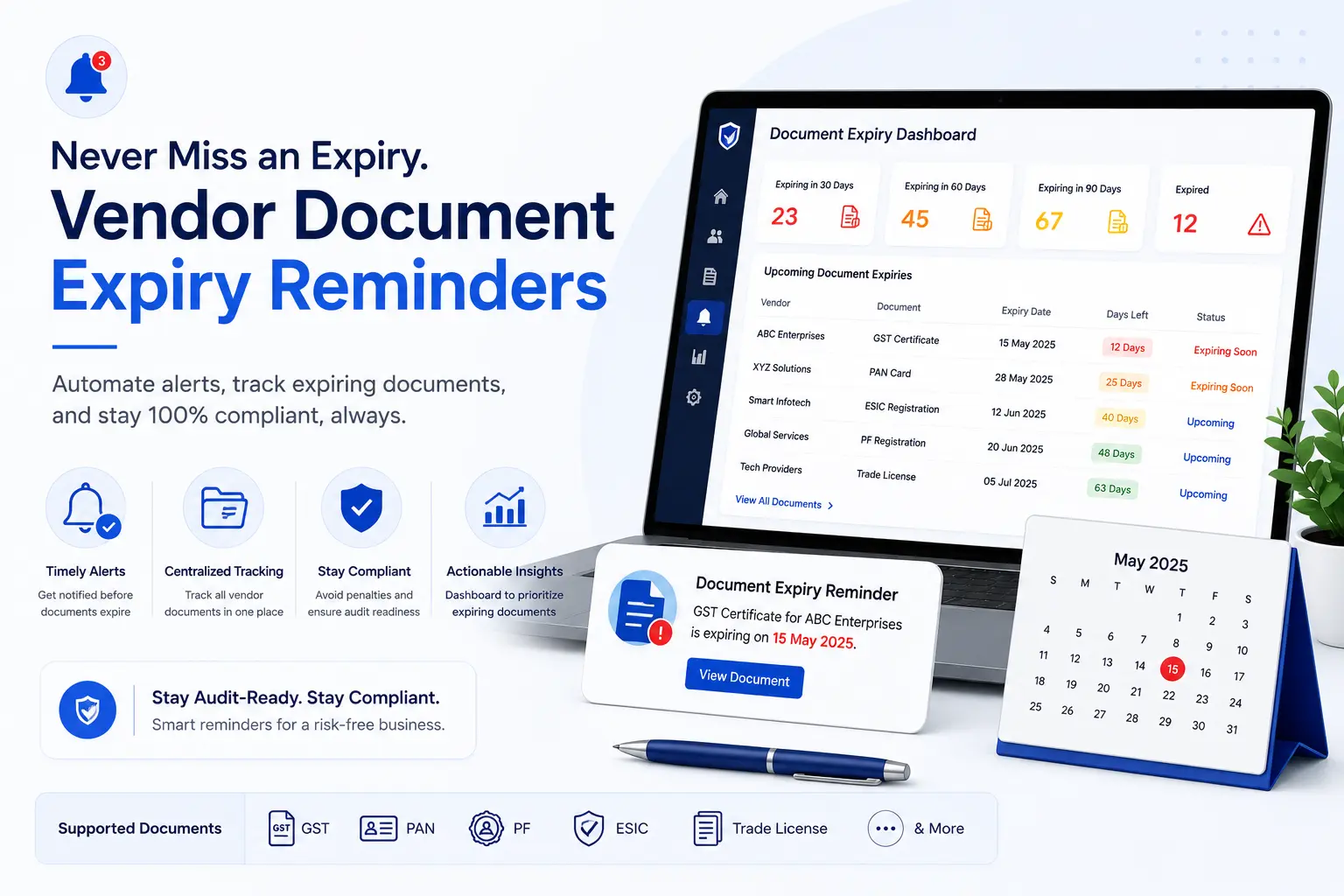
Vendor Document Expiry Reminder: Complete Guide to Preventing Missed Renewals
What happens when an important vendor certificate expires and nobody notices until an audit or compliance review?
For organizations managing suppliers, contractors, transport vendors, and service providers, this can become a recurring problem.
Vendor documents may have different validity periods, renewal requirements, and responsible owners. Tracking all of these dates manually through Excel spreadsheets, emails, and shared folders can become difficult as the vendor network grows.
A vendor document expiry reminder system helps procurement and compliance teams identify documents approaching expiry, send timely reminders, manage renewals, and maintain better visibility into vendor compliance.
This guide explains:
- What a vendor document expiry reminder is
- Why expiry tracking matters
- Which vendor documents may require monitoring
- How an expiry reminder process works
- How to design reminder schedules
- Manual vs automated expiry tracking
- Vendor renewal best practices
- Features to look for in expiry reminder software
- How AI can support document processing
- How VendorCompliancePro helps manage vendor document expiry
What Is a Vendor Document Expiry Reminder?
A vendor document expiry reminder is a notification generated before a vendor document reaches its expiry or review date.
The purpose is to give procurement, compliance teams, and vendors enough time to:
- Identify the upcoming expiry
- Request a renewed document
- Receive the updated document
- Verify the document
- Approve it
- Update the vendor record
- Continue monitoring the new validity period
Instead of discovering an expired document after the deadline, the organization can begin the renewal process in advance.
Why Vendor Document Expiry Tracking Matters
Organizations may manage many types of vendor and contractor documents.
Depending on the vendor relationship, these can include:
- Labour licenses
- Contractor licenses
- Insurance certificates
- Factory-related licenses
- Pollution-control consents
- Certifications
- Statutory documents
- Other time-limited contractual or compliance documents
When a required document expires without a replacement, organizations may face:
- Compliance gaps
- Audit observations
- Delayed vendor approvals
- Operational disruption
- Increased administrative effort
- Contractual issues
- Additional follow-up work
The exact consequences depend on the document, vendor relationship, applicable requirements, and organizational policies.
Expiry tracking helps teams identify potential issues before they become urgent.
Common Problems With Manual Vendor Document Expiry Tracking
Many organizations use:
- Excel spreadsheets
- Shared drives
- Email reminders
- Paper files
- Individual calendars
These methods can work for simple processes, but they become harder to manage as the number of vendors and documents increases.
Missed Expiry Dates
A date may be recorded in a spreadsheet but not noticed by the responsible person.
Incorrect Dates
Manual data entry can result in incorrect issue or expiry dates.
Scattered Documents
The expiry date may be in one spreadsheet while the actual document is stored somewhere else.
Manual Follow-Up
Procurement teams may need to repeatedly contact vendors for renewal documents.
No Clear Ownership
It may not be obvious who is responsible for following up on a particular expiring document.
Last-Minute Renewals
If reminders are not sent early enough, there may be insufficient time for vendor submission and internal approval.
How a Vendor Document Expiry Reminder System Works
A practical workflow can be:
Document Uploaded
↓
Document Validity Recorded
↓
Expiry Date Tracked
↓
Reminder Threshold Reached
↓
Vendor / Internal Owner Notified
↓
Renewed Document Submitted
↓
Document Verified
↓
Document Approved
↓
New Expiry Date Recorded
↓
Next Reminder Cycle Begins
This creates a continuous renewal process rather than a one-time document collection exercise.
Vendor Document Expiry Reminder Process at a Glance
| Stage | Activity | Outcome |
|---|---|---|
| 1 | Document requirement defined | Required document identified |
| 2 | Document submitted | Current document received |
| 3 | Validity checked | Expiry or review date recorded |
| 4 | Reminder configured | Renewal schedule established |
| 5 | Reminder sent | Vendor or owner notified |
| 6 | Renewal submitted | Updated document received |
| 7 | Verification | Document reviewed |
| 8 | Approval | Renewal accepted |
| 9 | New date recorded | Tracking updated |
| 10 | Monitoring continues | Next renewal tracked |
The exact workflow should be adapted to the organization’s document and compliance requirements.
Documents That May Require Expiry Tracking
Not every vendor document has a fixed expiry date.
A useful approach is to classify documents by how they should be monitored.
| Document Type | Typical Tracking Approach |
|---|---|
| Contractor License | Track expiry |
| Labour License | Track expiry |
| Insurance Certificate | Track expiry |
| Factory License | Track validity where applicable |
| Pollution-control consent | Track validity where applicable |
| Professional or quality certification | Track validity period |
| GST Registration | Monitor status and changes |
| PAN | Monitor status and changes |
| PF Registration | Monitor status and changes |
| ESIC Registration | Monitor status and changes |
| MSME/Udyam Certificate | Monitor status and changes |
The exact validity and renewal requirements should be based on the applicable document and the organization’s policies.
A document without a fixed expiry date can still require periodic review.
How to Design a Vendor Document Reminder Schedule
A reminder schedule should provide enough time for the vendor and internal team to complete renewal.
For example, an organization might configure:
| Reminder | Example Timing |
|---|---|
| Early reminder | 90 days before |
| Follow-up | 60 days before |
| Reminder | 30 days before |
| Final reminder | 15 days before |
| Urgent follow-up | 7 days before |
| Escalation | After expiry where appropriate |
These timings are examples, not universal requirements.
The appropriate schedule depends on:
- Document type
- Vendor risk
- Renewal complexity
- Internal approval time
- Vendor response time
- Business criticality
Critical documents may require earlier reminders.
Example: Vendor Insurance Certificate Renewal
Consider a supplier whose insurance certificate is due to expire.
90 Days Before Expiry
The system identifies the upcoming renewal.
60 Days Before Expiry
A reminder is sent to the vendor or responsible owner.
30 Days Before Expiry
The team follows up if the renewed document has not been received.
15 Days Before Expiry
The renewal becomes a higher-priority action.
7 Days Before Expiry
An urgent reminder can be issued according to policy.
Renewal Submitted
The vendor uploads the new certificate.
Verification
The document is reviewed for the correct vendor, coverage information, validity, and other applicable requirements.
Approval
The document is approved.
New Expiry Date
The next validity period is recorded.
The cycle then begins again.
Manual Process vs Automated Expiry Reminder System
| Manual Process | Automated Reminder System |
|---|---|
| Excel expiry dates | Centralized expiry tracking |
| Manual date checking | Automatic monitoring |
| Email follow-ups | Configurable notifications |
| Scattered documents | Linked vendor documents |
| Personal reminders | Shared workflow |
| Manual status updates | Workflow-based status |
| Last-minute renewals | Proactive renewal process |
| Limited visibility | Compliance dashboards |
Automation does not remove the need for human review.
Instead, it can reduce repetitive tracking and make upcoming actions easier to identify.
Benefits of Automated Vendor Document Expiry Reminders
Proactive Renewal Management
Teams can begin renewal activities before documents expire.
Reduced Manual Follow-Up
Automated reminders can reduce repetitive emails and spreadsheet updates.
Better Compliance Visibility
Teams can identify documents that are:
- Expiring soon
- Expired
- Missing
- Pending renewal
- Under review
Improved Audit Readiness
Current document status and renewal history are easier to retrieve.
Better Accountability
Assigning owners to renewal actions makes responsibilities clearer.
Reduced Operational Risk
Potential document gaps can be identified earlier.
Better Vendor Communication
Vendors can receive structured reminders about documents requiring renewal.
Vendor Document Expiry Tracking Best Practices
1. Record the Correct Expiry Date
The reminder process is only useful if the underlying date is correct.
Where appropriate, verify dates from the original document rather than relying entirely on manual entry.
2. Define Document Requirements by Vendor Type
Not every vendor needs the same documents.
Use a document requirement matrix based on vendor category, risk, industry, and applicable requirements.
3. Start Renewal Early
Allow enough time for:
- Vendor response
- Document submission
- Verification
- Corrections
- Approval
4. Assign an Owner
Every important renewal action should have a responsible person or team.
5. Track Renewal Status
Use statuses such as:
- Not Started
- Reminder Sent
- Awaiting Vendor
- Submitted
- Under Review
- Approved
- Rejected
- Renewed
- Expired
6. Keep Previous Versions
Where appropriate, retain previous documents and renewal history according to the organization’s retention policy.
7. Escalate Overdue Renewals
If a vendor does not respond, escalate according to the organization’s process.
8. Monitor Exceptions
Maintain clear lists of:
- Expiring documents
- Expired documents
- Missing documents
- Overdue renewals
- Rejected submissions
9. Connect Expiry Tracking With Compliance
Expiry reminders should support the wider vendor compliance process rather than operate as an isolated calendar.
10. Review Reminder Performance
Monitor whether reminders are being acted upon and whether renewal delays are recurring.
Vendor Document Renewal Workflow
A structured renewal workflow can be:
Expiring Document Identified
↓
Reminder Sent
↓
Vendor Submits Renewal
↓
Document Validation
↓
Compliance Review
↓
Approval
↓
Old Document Retained According to Policy
↓
New Document Activated
↓
New Expiry Date Recorded
↓
Next Reminder Scheduled
This workflow creates a repeatable renewal process.
What Happens When a Vendor Document Expires?
The response should depend on the document and the organization’s policy.
A useful process is:
- Identify the expired document
- Notify the responsible owner
- Contact the vendor
- Request an updated document
- Review the business or compliance impact
- Record the exception
- Escalate where required
- Verify the replacement document
- Update the vendor record
- Close the exception
For critical vendors or documents, organizations may also need contingency or risk-management actions.
Features to Look for in Vendor Document Expiry Reminder Software
When evaluating a vendor document expiry reminder system, consider:
- Centralized vendor document repository
- Document expiry tracking
- Configurable reminder schedules
- Email notifications
- Vendor self-service portal
- Renewal workflow
- Document approval
- Compliance dashboards
- Expiring-document reports
- Expired-document reports
- Missing-document reports
- Role-based access
- Audit trails
- Document history
- Notification escalation
- Search and filtering
- API integration
- ERP or procurement integration
- OCR or AI-assisted document validation
The right capabilities depend on the organization’s vendor volume, document requirements, risk profile, and existing technology.
Vendor Document Expiry Reminder Checklist
Use this checklist to review your current process:
- Required vendor documents are defined
- Document expiry or review dates are recorded
- Date accuracy is verified
- Reminder thresholds are configured
- Responsible owners are assigned
- Vendors can submit renewal documents
- Renewal status is tracked
- Documents are verified before approval
- Rejected renewals are tracked
- Previous document history is maintained where appropriate
- Expiring documents are visible
- Expired documents are visible
- Overdue renewals are escalated
- Compliance dashboards or reports are available
- Audit trails are maintained
How AI Can Support Vendor Document Expiry Management
AI and OCR technologies can support parts of the document workflow.
Depending on the implementation, they can help:
- Identify document types
- Extract expiry dates
- Extract vendor names
- Extract registration numbers
- Support document validation
- Identify potential missing information
- Reduce manual data entry
- Flag documents for human review
For compliance-critical processes, extracted information should be reviewed according to the organization’s validation requirements.
AI can support the process, but it should not be treated as a guarantee that every extracted value is correct.
Industries That Benefit From Vendor Document Expiry Reminders
Vendor document expiry tracking can be useful across many industries.
Manufacturing
Track contractor licenses, insurance, certifications, and other required supplier documents.
Logistics
Monitor transporter, insurance, permit, and service-provider documentation.
Warehousing
Track contractor and service-vendor compliance documents.
Construction
Monitor labour licenses, contractor documentation, insurance, and safety records.
Engineering
Track supplier, project, safety, and certification documents.
Facility Management
Manage recurring compliance documentation for service providers and manpower contractors.
The exact documents and reminder rules should be based on the vendor relationship and applicable requirements.
How VendorCompliancePro Helps With Vendor Document Expiry
VendorCompliancePro provides capabilities for vendor document collection, compliance monitoring, and expiry management.
Organizations can use the platform for:
- Vendor self-service portal
- Vendor registration
- Centralized vendor document repository
- Configurable document requirements
- AI-powered document validation
- OCR processing
- Document expiry tracking
- Automated expiry reminders
- Renewal tracking
- Approval workflows
- Compliance dashboards
- Audit trails
- Reports and analytics
The platform connects:
Vendor → Document → Expiry Date → Reminder → Renewal → Approval → Compliance Status
VendorCompliancePro can complement an existing ERP or procurement system by focusing on vendor documents, compliance workflows, expiry monitoring, renewal reminders, and audit readiness.
Frequently Asked Questions
What is a vendor document expiry reminder?
A vendor document expiry reminder is an alert sent before a vendor document reaches its expiry or review date so the responsible team can begin the renewal process.
Why are vendor document expiry reminders important?
They help organizations identify upcoming renewals, reduce missed expiry dates, improve compliance visibility, and avoid last-minute document collection.
Which vendor documents should have expiry reminders?
Time-limited documents such as insurance certificates, labour licenses, contractor licenses, certifications, and applicable permits may require expiry reminders.
Other vendor records without a fixed expiry date may still require periodic review.
How far in advance should vendor document reminders be sent?
There is no universal schedule. Organizations may use multiple reminders such as 90, 60, 30, 15, and 7 days before expiry, depending on the document and renewal process.
Can Excel be used for vendor document expiry tracking?
Yes. Excel can work for a small process.
However, larger vendor programs may benefit from centralized document storage, automated reminders, renewal workflows, dashboards, and audit trails.
What happens if a vendor document expires?
The organization should follow its documented process to identify the expired document, notify the responsible owner, request a renewal, assess any applicable impact, and verify and approve the replacement document.
Can vendor document expiry reminders be automated?
Yes. Software can automate reminders, notifications, renewal workflows, reports, and some document-validation tasks.
Human review may still be required for important compliance decisions.
What is the difference between document tracking and document expiry reminders?
Document tracking monitors the overall status of vendor documents.
Expiry reminders are notifications triggered by an approaching expiry or review date.
Expiry reminders are therefore one important capability within a broader vendor document tracking process.
Conclusion
Vendor document expiry management is an important part of ongoing vendor compliance.
A strong process connects:
Document Collection → Validity Check → Expiry Tracking → Reminder → Renewal → Verification → Approval → New Expiry Date
Organizations that rely entirely on spreadsheets and manual reminders may find it increasingly difficult to manage vendor renewals as their supplier network grows.
A structured vendor document expiry reminder system can help teams start renewals earlier, reduce repetitive follow-up, identify expiring documents, and maintain better compliance visibility.
The goal is simple:
Know what is expiring, know when action is required, and complete the renewal before the document becomes a compliance problem.
Related Articles
- Vendor Document Tracking
- Vendor Document Management
- Vendor Registration Process
- Vendor Master Data Management
- Supplier Risk Assessment Process
- Vendor Audit Readiness Checklist
- Vendor Contract Expiry Reminder
- Vendor Compliance Checklist India
- Vendor Compliance Software India
- What Is Vendor Compliance?